

AI-powered content creation is no longer a trend, but the standard in the world. In this comprehensive Descript AI Review, we take a deep look at one of the most influential AI-powered editing platforms on the market and compare it against the strongest competitors in 2026.
Over the past few years, AI video editors and AI audio editing software have reshaped how creators produce podcasts, YouTube videos, training materials, and social content.
Instead of spending hours trimming waveforms or cutting clips manually, creators can now edit video by editing text, generate synthetic voiceovers, remove filler words automatically, and produce short-form clips in minutes.
But is Descript still the best option in 2026?
In this guide, you’ll find:
- A full Descript AI review
- Feature-by-feature breakdown
- Updated 2026 pricing
- Real pros and cons
- 16 detailed Descript alternatives
- Expert recommendations by use case
If you’re researching the best AI video editing tools 2026, this guide is designed to give you clarity, not fluff.
Descript AI Review
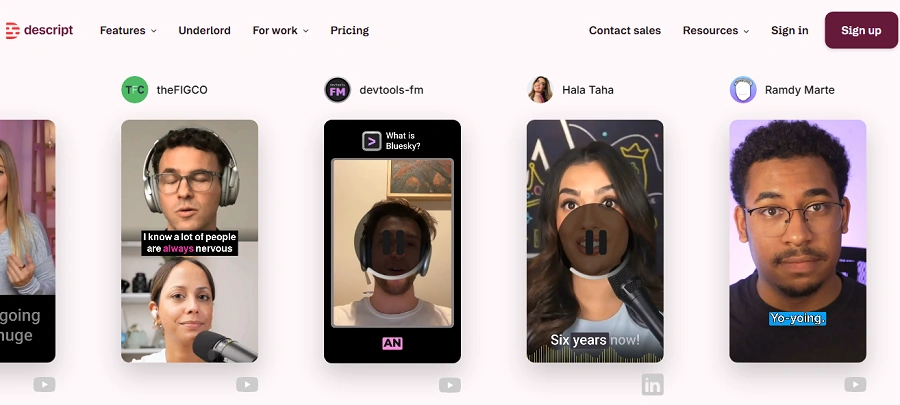
Descript is an AI-powered audio and video editing platform that revolutionized content creation with text-based editing. Instead of cutting clips on a traditional timeline, you edit a transcript, and the video updates automatically.
At its core, Descript combines transcription, AI-powered editing, screen recording, multi-track production, and voice synthesis into one collaborative workspace. It’s built primarily for spoken-word content creators: podcasters, YouTubers, marketers, educators, and remote teams.
The biggest strength of Descript is workflow efficiency. If your content is dialogue-heavy, interviews, or training videos, editing becomes dramatically faster. You can:
- Delete filler words instantly
- Rearrange sections like a document
- Fix mistakes with AI voice cloning
- Improve audio with Studio Sound
However, Descript is not designed to replace high-end cinematic editors. It focuses on speed, clarity, and communication, not visual effects or complex motion graphics.
If you produce conversational content regularly, Descript can reduce editing time by 50% or more.
Key Features of Descript AI
- Text-Based Editing: Edit video and audio by modifying the transcript. Delete text to cut clips instantly, or move paragraphs to rearrange scenes.
- Overdub (AI Voice Cloning): Generate realistic synthetic speech in your own voice to correct mistakes without re-recording.
- Studio Sound: Automatically enhances audio quality by removing noise and improving vocal clarity.
- Screen Recording: Record your screen, camera, or both simultaneously for tutorials and presentations.
- Multi-Track Timeline: Layer video, audio, music, and screen captures in a clean, simplified interface.
- AI Filler Word Removal: Detect and remove “um,” “uh,” and repeated phrases in seconds.
- Automatic Transcription: Fast and accurate transcription in multiple languages.
- Collaboration & Comments: Share projects with team members and collaborate in real time.
- Templates & Layouts: Pre-designed layouts for social content and video repurposing.
- Export & Publishing Options: Export in HD/4K formats or publish directly to platforms.
Pros of Descript AI
- Extremely intuitive interface
- Massive time savings for spoken content
- Strong AI audio cleanup tools
- Great for podcast workflows
- Built-in screen recorder
- Cloud collaboration support
Cons of Descript AI
- Limited advanced visual effects
- Not ideal for cinematic editing
- Can lag with large multi-track projects
- Overdub setup requires voice training
- Pricing increases for team usage
Pricing Plans of Descript AI (2026)
| Plan | Monthly Price | Annual Price | Key Features | Best For |
| Free | $0 | $0 | Limited transcription hours, watermark exports | Testing |
| Creator | $15 | ~$12/mo billed annually | Watermark-free export, filler word removal | Solo creators |
| Pro | $30 | ~$24/mo billed annually | Overdub, Studio Sound, advanced AI tools | Professionals |
| Enterprise | Custom | Custom | SSO, admin controls, compliance | Large teams |
- Creator Plan works well for solo podcasters.
- Pro Plan unlocks Descript’s full AI power.
- Enterprise adds security and scalability.
Best Descript Alternatives in 2026
Even though Descript is powerful, some creators need:
- More visual editing control
- AI avatar generation
- Better remote recording
- Lower pricing
- Enterprise video production features
Here are the strongest Descript alternatives in 2026, each reviewed in detail.
1. Riverside
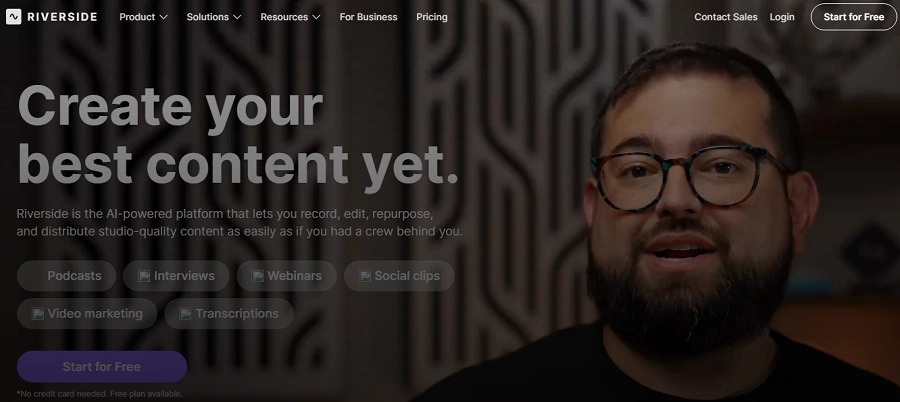
Riverside is primarily a remote recording platform rather than a pure editing tool. It focuses on high-quality local recording, ensuring that each participant’s audio and video are captured in full resolution, even if their internet connection fluctuates.
This makes Riverside particularly valuable for podcasters, interview-based YouTubers, webinar hosts, and online course creators who rely on guest appearances. Unlike Descript, which shines in post-production editing, Riverside excels at capturing professional-grade raw footage.
Riverside records up to 4K video locally on each participant’s device and uploads the files to the cloud after the session. This ensures no compression loss during recording. It also includes AI clip generation and transcription features, though editing capabilities are lighter compared to Descript’s text-based system.
If your priority is recording quality first and editing second, Riverside may outperform Descript in your workflow.
Features of Riverside
- 4K Local Recording: Records each participant locally for maximum quality.
- Separate Audio Tracks: Individual WAV tracks for advanced post-production control.
- AI Magic Clips: Automatically generates short social clips from long recordings.
- Live Streaming Integration: Stream directly to YouTube, LinkedIn, and Facebook.
- Automated Transcription: Generates transcripts for editing and captions.
Pricing of Riverside
| Plan | Monthly Price | Annual Price | Features Included | Ideal User |
| Free | $0 | $0 | Limited recording time, watermark | Testing |
| Standard | $19 | ~$15/mo billed annually | 4K video, separate tracks | Podcasters |
| Pro | $29 | ~$24/mo billed annually | AI clips, live streaming | YouTubers |
| Business | Custom | Custom | Advanced team tools | Agencies |
Pros of Riverside
- Superior recording quality
- Reliable remote interviews
- AI clip creation
Cons of Riverside
- Limited editing depth
- No text-based editing workflow
2. VEED.io
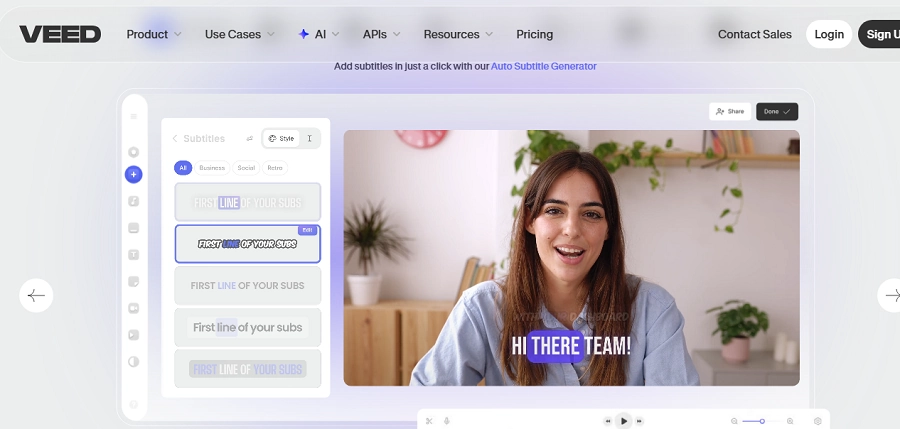
VEED.io is a browser-based AI video editor built for marketers, social media managers, and content creators who need speed and simplicity. Unlike Descript, which is transcript-driven, VEED focuses on visual editing with drag-and-drop controls.
VEED stands out for its subtitle tools, branding features, and AI-powered enhancements. It is particularly strong for short-form content, including TikTok, Instagram Reels, YouTube Shorts, and LinkedIn videos.
Where Descript excels in podcast-style editing, VEED excels in quick marketing edits. Its interface is extremely approachable for beginners and includes auto-captions, AI voiceovers, background removal, and branding kits.
For creators focused on social-first content and visual storytelling, VEED may feel more intuitive than Descript’s document-style editing approach.
Features of VEED.io
- Auto Subtitles: Generates accurate captions automatically.
- Brand Kit: Save fonts, colors, and logos for consistent branding.
- AI Background Removal: Remove or blur video backgrounds easily.
- Templates Library: Ready-made templates for social formats.
- Text-to-Speech: Generate AI voiceovers directly in the editor.
Pricing of VEED.io
| Plan | Monthly Price | Annual Price | Features Included | Ideal User |
| Free | $0 | $0 | Watermark exports | Beginners |
| Pro | $29 | ~$24/mo billed annually | Full HD exports | Solo creators |
| Business | $59 | ~$49/mo billed annually | Brand kit, collaboration | Teams |
| Enterprise | Custom | Custom | Security & SSO | Corporations |
Pros of VEED.io
- Easy for beginners
- Strong subtitle features
- Browser-based convenience
Cons of VEED.io
- Less suited for long-form podcast editing
- Limited multi-track depth
3. CapCut
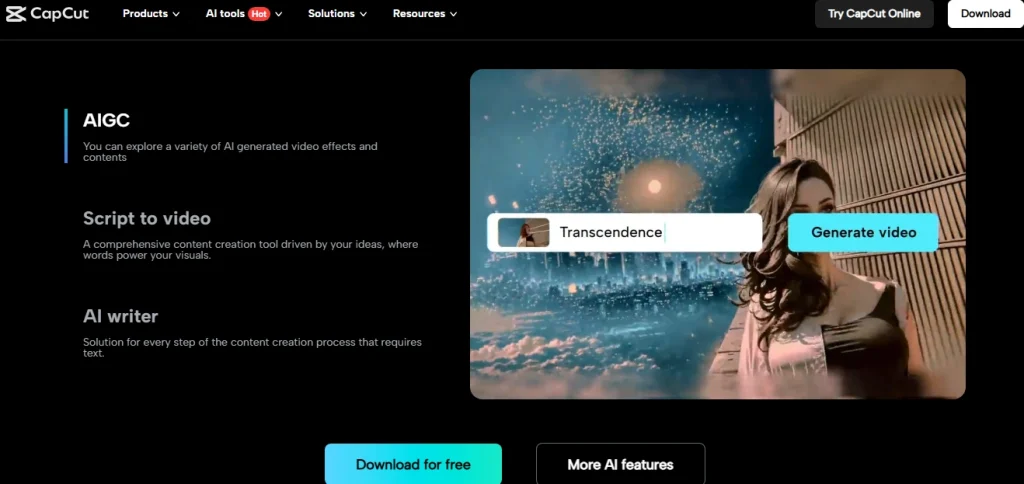
CapCut has evolved far beyond a mobile editing app. In 2026, it stands as one of the most widely used AI video editors globally, offering desktop, browser, and mobile versions. Originally popularized by TikTok creators, CapCut now competes directly with tools like Descript and VEED for short-form and even mid-length content production.
Unlike Descript’s transcript-first editing system, CapCut follows a traditional timeline workflow, but enhanced with powerful AI automation. It excels in visual effects, auto-captions, AI background removal, object tracking, and template-driven editing.
If your content leans heavily on visuals, motion graphics, transitions, and dynamic cuts, CapCut often feels more flexible than Descript.
For YouTubers creating Shorts, Instagram creators, and influencers producing high-volume social content, CapCut offers more visual creativity. However, it lacks Descript’s deep text-based editing and podcast-friendly workflow.
CapCut is best described as a visual-first AI video editor, while Descript remains audio-and-transcript-first.
Features of CapCut
- AI Auto Captions: Generates highly accurate captions with animated styles.
- Smart Cut & Silence Removal: Automatically removes pauses and dead air.
- Background Removal: One-click subject isolation without green screen.
- Templates Marketplace: Thousands of trending video templates.
- AI Effects & Filters: Dynamic effects optimized for social media.
- Multi-Platform Support: Works on desktop, browser, and mobile.
Pricing of CapCut
| Plan | Monthly Price | Annual Price | Features Included | Ideal User |
| Free | $0 | $0 | Most editing tools, watermark on some exports | Social creators |
| Pro | $9.99 | ~$89/year | Premium templates, advanced AI tools | Influencers |
| Teams | Custom | Custom | Shared assets & collaboration | Agencies |
CapCut’s free plan is unusually generous. Pro mainly unlocks premium assets and higher export flexibility. Compared to Descript, it’s significantly cheaper for visual editing workflows.
Pros of CapCut
- Powerful free plan
- Excellent short-form editing
- Strong AI automation
- Cross-device flexibility
Cons of CapCut
- No transcript-based editing
- Less suitable for podcast production
- Cloud sync can be inconsistent
4. Pictory

Pictory is built around automation. Instead of manually editing video, you provide a script, blog post, or article, and Pictory converts it into a fully produced video using stock footage, AI voiceovers, and subtitles.
Compared to Descript, Pictory is less of an editor and more of a video generator. You’re not refining recorded footage; you’re creating new content from text. This makes it ideal for content marketers, bloggers, affiliate marketers, and agencies that repurpose written content into YouTube videos or social clips.
Where Descript requires you to record content first, Pictory removes the need for recording entirely. However, creative control is more limited, and the final output may feel more templated compared to manually edited projects.
For high-volume, automated content production, Pictory can outperform Descript in efficiency, especially in SEO-driven video marketing workflows.
Features of Pictory
- Script-to-Video Conversion: Turn text into fully edited videos automatically.
- Stock Media Library: Access millions of royalty-free clips and images.
- AI Voiceovers: Generate realistic narration without recording.
- Auto Subtitles: Add captions automatically for engagement.
- Text-Based Scene Editing: Modify scenes through script adjustments.
Pricing of Pictory
| Plan | Monthly Price | Annual Price | Features Included | Ideal User |
| Starter | $23 | ~$19/mo billed annually | Short videos, limited AI | Bloggers |
| Professional | $47 | ~$39/mo annually | Longer videos, voice cloning | Marketers |
| Teams | $119 | Custom | Collaboration & API | Agencies |
Pros of Pictory
- Excellent for repurposing blogs
- No recording required
- Fast automation
Cons of Pictory
- Limited creative flexibility
- Stock-heavy look
- Not ideal for podcasts
5. HeyGen
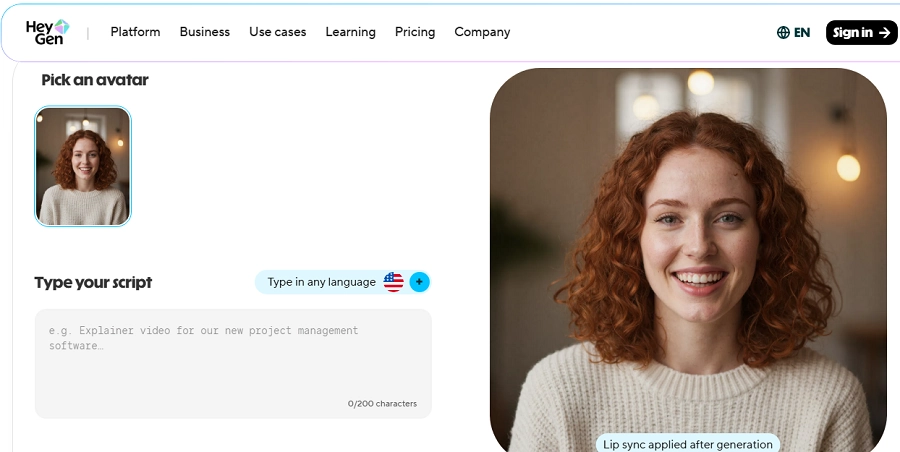
HeyGen focuses on AI avatar video creation rather than editing recorded footage. Instead of filming yourself, you type a script and generate a talking AI presenter in multiple languages.
Compared to Descript, HeyGen solves a completely different problem. It eliminates on-camera recording altogether. This makes it highly appealing for businesses creating training videos, product explainers, or multilingual content.
HeyGen’s avatars are realistic and customizable. You can create custom avatars or use prebuilt digital presenters. It also supports automated translations with synchronized lip movement.
If your goal is to reduce production time and avoid filming, HeyGen can be more scalable than Descript. However, it does not offer detailed editing of real footage.
Features of HeyGen
- AI Talking Avatars: Create presenter-style videos instantly.
- Voice Cloning & TTS: Generate speech in multiple languages.
- Video Translation: Translate content with synced lip movement.
- Custom Avatars: Create personalized digital presenters.
- Script Editor: Edit scripts directly before rendering.
Pricing of HeyGen
| Plan | Monthly Price | Annual Price | Features Included | Ideal User |
| Creator | $29 | ~$24/mo annually | Limited avatar minutes | Solo creators |
| Business | $89 | ~$72/mo annually | More avatars & languages | Businesses |
| Enterprise | Custom | Custom | Custom avatars & API | Corporations |
Pros of HeyGen
- No filming required
- Strong multilingual support
- Scalable for businesses
Cons of HeyGen
- Not a traditional editor
- Higher pricing tiers
- Creative flexibility depends on templates
6. Synthesia
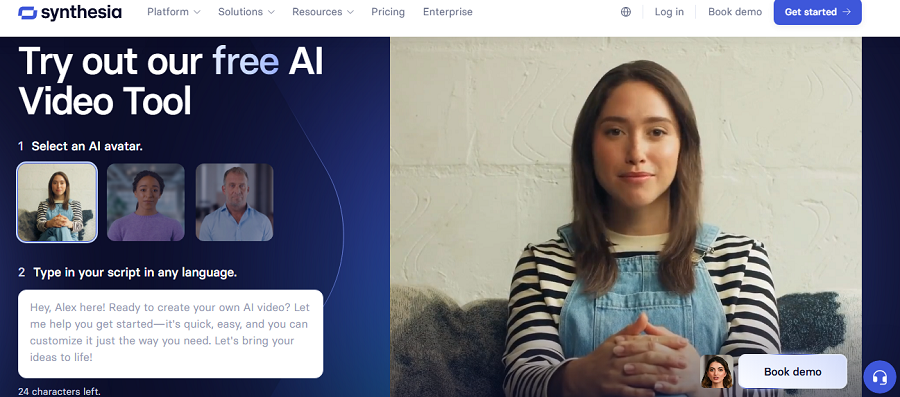
Synthesia is one of the most recognized enterprise AI avatar platforms in 2026. It’s widely used by corporations for internal training, onboarding, and multilingual communication.
Compared to Descript, Synthesia is less about editing and more about scalable content production. It allows companies to create consistent training videos without filming employees repeatedly.
Its avatars are highly polished and professional, making it ideal for corporate use cases. Pricing reflects enterprise focus.
Features of Synthesia
- Professional AI Avatars: Realistic business-ready presenters.
- Multilingual Support: 120+ languages and accents.
- Brand Customization: Add logos, slides, and backgrounds.
- Collaboration Tools: Team-based video creation.
- SCORM Export: LMS integration for training.
Pricing of Synthesia
| Plan | Monthly Price | Annual Price | Features Included | Ideal User |
| Personal | $30 | ~$22/mo annually | Limited minutes | Individuals |
| Corporate | Custom | Custom | Enterprise features | Enterprises |
Pros of Synthesia
- Enterprise-grade
- Professional output
- LMS integration
Cons of Synthesia
- Expensive
- Not for creative YouTubers
7. Kapwing
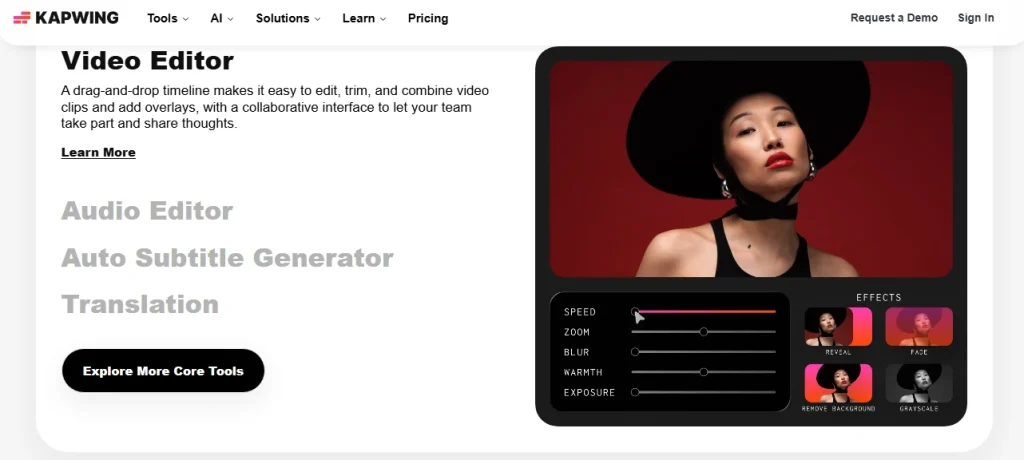
Kapwing is a browser-based collaborative video editor that blends traditional timeline editing with AI-powered automation. In 2026, it positioned itself as a flexible middle ground between tools like Descript and VEED, offering both transcript-based editing and visual timeline control.
Unlike Descript, which strongly emphasizes document-style editing, Kapwing allows creators to work visually while still leveraging AI for subtitles, silence removal, and script-based adjustments.
It’s particularly popular among marketing teams, startups, educators, and social media managers who need a quick turnaround without downloading heavy desktop software.
Kapwing also stands out for its collaborative workspace. Teams can comment, edit, and share projects in real time, making it ideal for distributed teams.
If you want more visual control than Descript but still appreciate AI automation and cloud collaboration, Kapwing offers a strong balance.
Features of Kapwing
- AI Subtitle Generator: Automatically creates accurate captions.
- Text-Based Editing: Modify transcripts to adjust video segments.
- Magic Remove & Background Tools: Remove objects or backgrounds easily.
- Collaboration Workspace: Real-time team editing and commenting.
- Template Library: Social-ready templates for fast production.
- Cloud-Based Editing: No downloads required.
Pricing of Kapwing
| Plan | Monthly Price | Annual Price | Features Included | Ideal User |
| Free | $0 | $0 | Watermark exports, limited minutes | Beginners |
| Pro | $24 | ~$16/mo annually | HD exports, AI tools | Solo creators |
| Business | $64 | ~$50/mo annually | Brand kit, team workspace | Teams |
| Enterprise | Custom | Custom | Advanced security & SSO | Corporations |
The Pro plan removes watermarks and unlocks full export options. Business adds collaboration features similar to enterprise-focused tools.
Pros of Kapwing
- Strong team collaboration
- Balanced editing approach
- Cloud-based convenience
- Good subtitle automation
Cons of Kapwing
- Performance depends on the browser
- Less powerful than desktop editors
- Advanced features require higher tiers
8. Reduct.Video
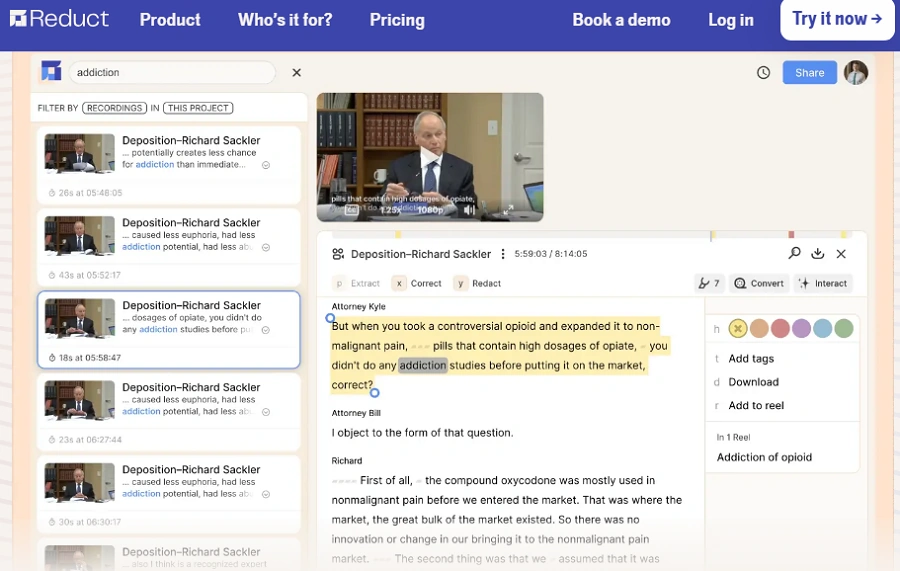
Reduct.Video is one of the closest direct competitors to Descript in terms of editing philosophy. It focuses almost entirely on text-based video editing, allowing users to edit media by editing transcripts.
Like Descript, Reduct automatically transcribes uploaded footage and links the transcript to the timeline. You can highlight text to create clips, remove filler words, and rearrange content quickly. However, Reduct places a heavier emphasis on research workflows, journalism, and documentary-style editing.
Compared to Descript, Reduct feels more specialized and less feature-heavy. It lacks tools like Overdub and advanced audio enhancement, but it excels in clean transcript management and clip extraction.
For journalists, documentary editors, and academic teams working with interviews, Reduct may feel even more streamlined than Descript.
Features of Reduct.Video
- Transcript-Based Editing: Edit video directly from text.
- Clip Extraction: Highlight transcript sections to create shareable clips.
- Searchable Media Library: Quickly locate keywords in long footage.
- Multi-Speaker Identification: Automatically tag speakers.
- Team Collaboration Tools: Share projects across teams.
Pricing of Reduct.Video
| Plan | Monthly Price | Annual Price | Features Included | Ideal User |
| Basic | $25 | ~$20/mo annually | Text editing & transcription | Journalists |
| Pro | $50 | ~$40/mo annually | Collaboration & clip tools | Production teams |
| Enterprise | Custom | Custom | Secure cloud & admin tools | Organizations |
Reduct is priced similarly to Descript’s Pro tier but offers fewer AI audio tools and more transcript-centric features.
Pros of Reduct.Video
- Excellent transcript editing
- Clean interface
- Ideal for interview-heavy projects
Cons of Reduct.Video
- No AI voice cloning
- Limited visual effects
- Smaller ecosystem than Descript
9. inVideo

inVideo is a template-driven video creation platform built for marketers and content creators who need polished promotional videos quickly. Instead of editing raw footage extensively, users choose templates and customize them with text, images, and branding.
Compared to Descript, inVideo is less about editing recorded speech and more about building structured marketing videos. It includes automated scene suggestions and AI script generation tools.
If you create ads, promotional videos, product explainers, or slideshow-style content, inVideo can be faster than Descript. However, it’s not designed for podcast editing or transcript-driven workflows.
For marketing teams producing frequent branded content, inVideo provides scalability and speed.
Features of inVideo
- Template-Based Editing: Thousands of pre-built marketing templates.
- AI Script Generator: Generate scripts based on prompts.
- Stock Media Library: Millions of royalty-free assets.
- Text-to-Video Conversion: Turn written content into visual scenes.
- Brand Kit Integration: Maintain consistent branding.
Pricing of inVideo
| Plan | Monthly Price | Annual Price | Features Included | Ideal User |
| Free | $0 | $0 | Watermarked exports | Testing |
| Plus | $25 | ~$20/mo annually | HD exports, premium templates | Marketers |
| Max | $60 | ~$48/mo annually | Unlimited exports & storage | Agencies |
| Enterprise | Custom | Custom | Custom branding & API | Large teams |
The Plus plan works for individual marketers. Max is more suitable for agencies producing frequent campaigns.
Pros of inVideo
- Excellent marketing templates
- Easy for beginners
- Fast promotional video creation
Cons of inVideo
- Limited advanced editing
- Not suited for podcast production
- Template-heavy look
10. Async Creator
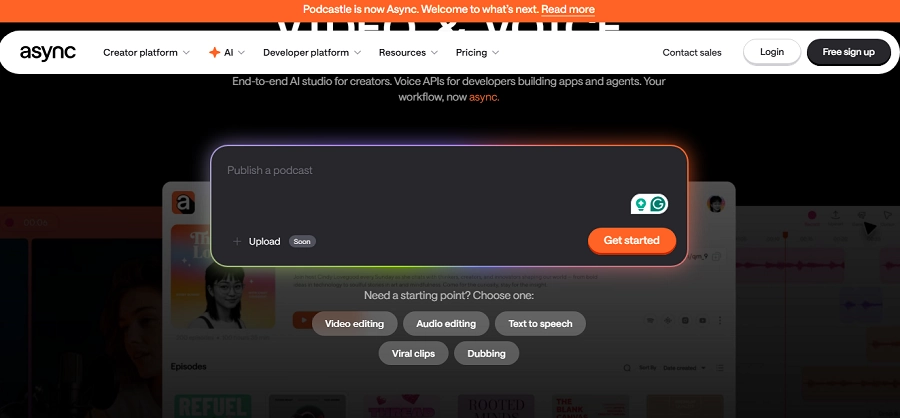
Async Creator is designed for asynchronous video communication rather than public-facing video production. It allows teams to record quick updates, tutorials, and walkthroughs without scheduling live meetings.
Compared to Descript, Async Creator focuses more on internal collaboration than polished publishing. While it includes basic trimming and screen recording tools, it does not aim to replace full editing software.
It is particularly useful for remote teams, startups, product managers, and customer support teams who want to replace meetings with video updates.
If your goal is workflow efficiency rather than content marketing, Async Creator may be more relevant than Descript.
Features of Async Creator
- Screen & Camera Recording: Record quick video updates instantly.
- Async Sharing Links: Share videos without scheduling meetings.
- Basic Trim Editing: Remove unnecessary sections easily.
- Comment Threads: Team members respond directly under videos.
- Cloud Storage: All recordings saved in workspace.
Pricing of Async Creator
| Plan | Monthly Price | Annual Price | Features Included | Ideal User |
| Free | $0 | $0 | Limited storage | Individuals |
| Pro | $15 | ~$12/mo annually | Unlimited videos | Small teams |
| Business | $39 | ~$30/mo annually | Admin controls & branding | Companies |
Pro removes storage limits and adds collaboration features. Business enhances security and branding options.
Pros of Async Creator
- Great for remote teams
- Replaces unnecessary meetings
- Simple interface
Cons of Async Creator
- Not a full video editor
- Limited export customization
- No advanced AI tools
11. Camtasia
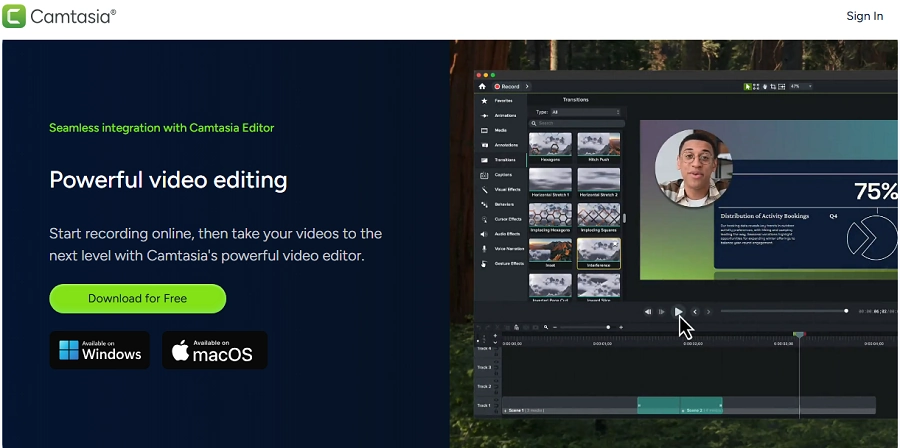
Camtasia is a long-standing screen recording and video editing software widely used by educators, corporate trainers, and tutorial creators. Unlike cloud-based AI tools, Camtasia is a desktop application offering precise control over screen captures and post-production editing.
Compared to Descript, Camtasia offers more timeline flexibility and advanced cursor effects, callouts, and interactive elements. However, it lacks Descript’s powerful transcript-based editing and AI voice cloning.
For software tutorials, product demos, and e-learning modules, Camtasia remains one of the strongest options in 2026.
If your work revolves around structured educational videos rather than conversational podcasts, Camtasia may be more suitable.
Features of Camtasia
- Advanced Screen Recording: Capture screen, webcam, and system audio.
- Timeline-Based Editing: Precise clip and layer control.
- Interactive Quizzes: Add engagement elements.
- Cursor Effects & Annotations: Highlight key actions.
- Stock Asset Library: Royalty-free music and visuals.
Pricing of Camtasia
| Plan | Monthly Price | Annual Price | Features Included | Ideal User |
| Individual License | ~$299 one-time | N/A | Full software access | Educators |
| Maintenance Plan | ~$50/year | N/A | Updates & support | Professionals |
| Business License | Custom | Custom | Volume licensing | Companies |
Camtasia uses a one-time license model, which can be more cost-effective long-term compared to subscription-based editors like Descript.
Pros of Camtasia
- Excellent for tutorials
- One-time payment option
- Strong screen recording tools
Cons of Camtasia
- No transcript-based editing
- No AI voice cloning
- Desktop-only workflow
12. Colossyan Creator
Colossyan Creator is an AI avatar video platform built primarily for corporate training, internal communications, and educational content. Like Synthesia and HeyGen, it eliminates the need for cameras, studios, and on-screen presenters. Instead, you write a script and generate a professional AI presenter delivering your content.
Compared to Descript, Colossyan is not a video editor in the traditional sense. You don’t upload raw footage and refine it; you create a video from scratch using AI actors. This makes it highly efficient for HR teams, SaaS onboarding, compliance training, and e-learning providers.
One of Colossyan’s differentiators is its scenario-based learning templates and interactive video elements. It’s designed for structured, instructional content rather than YouTube-style videos.
If your priority is scalable training content rather than creative editing, Colossyan can be more efficient than Descript. However, for podcast editing or YouTube production, Descript remains stronger.
Features of Colossyan Creator
- AI Actors: Generate realistic presenters for business videos.
- Script-Based Editing: Edit directly in text format before rendering.
- Multilingual Output: Support for dozens of languages and accents.
- Interactive Video Elements: Add quizzes and branching logic.
- Team Collaboration: Shared workspaces for departments.
Pricing of Colossyan Creator
| Plan | Monthly Price | Annual Price | Features Included | Ideal User |
| Starter | $28 | ~$22/mo annually | Limited minutes | Educators |
| Pro | $96 | ~$80/mo annually | More AI actors & languages | SMBs |
| Enterprise | Custom | Custom | Custom avatars & API | Enterprises |
Starter is suitable for basic training videos. Pro unlocks larger video quotas and collaboration tools. Enterprise focuses on scalability and custom branding.
Pros of Colossyan Creator
- Strong for structured training
- Interactive learning support
- Professional output
Cons of Colossyan Creator
- Not ideal for YouTube creators
- Limited creative flexibility
- Higher-tier pricing
13. SendShort
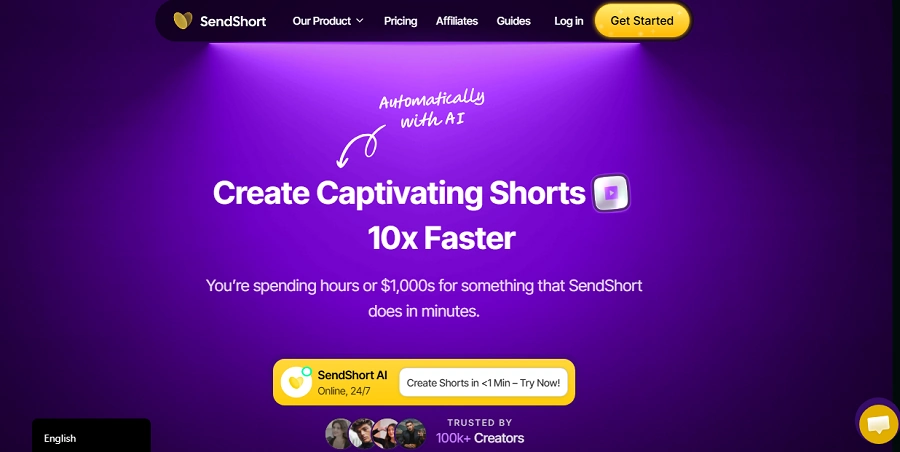
SendShort is designed for one primary purpose: transforming long-form videos into viral short clips. It uses AI to detect key moments, add captions, and optimize videos for TikTok, YouTube Shorts, and Instagram Reels.
Unlike Descript, which is built for full editing workflows, SendShort is focused on content repurposing. If you already produce podcasts, interviews, or webinars, SendShort helps you extract high-engagement snippets automatically.
Its AI analyzes speech patterns, pauses, and engagement cues to identify “hook moments.” While Descript offers clip creation, SendShort is more specialized in viral optimization.
For creators scaling short-form distribution, SendShort can complement Descript rather than replace it.
Features of SendShort
- AI Clip Detection: Automatically finds engaging moments.
- Auto Captions: Generates stylized captions for social platforms.
- Aspect Ratio Optimization: Converts landscape videos to vertical formats.
- Hook Optimization: AI suggests engaging opening lines.
- Batch Processing: Generate multiple clips at once.
Pricing of SendShort
| Plan | Monthly Price | Annual Price | Features Included | Ideal User |
| Starter | $19 | ~$15/mo annually | Limited clips/month | Solo creators |
| Growth | $39 | ~$31/mo annually | Higher clip volume | YouTubers |
| Pro | $59 | ~$49/mo annually | Unlimited clips | Agencies |
Pros of SendShort
- Excellent for short-form growth
- Saves massive editing time
- Optimized for viral formats
Cons of SendShort
- Not a full editor
- Limited manual control
- Depends on existing long-form content
14. Murf.ai
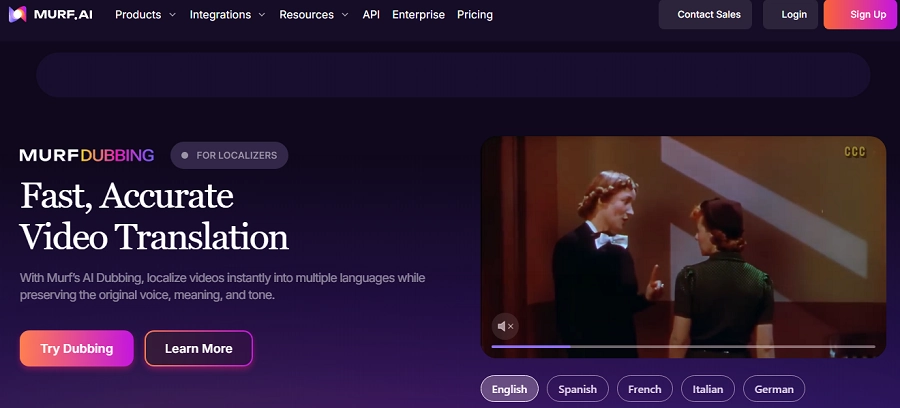
Murf.ai is a dedicated AI voice generation platform rather than a video editor. It specializes in high-quality text-to-speech voiceovers for videos, presentations, ads, and audiobooks.
Compared to Descript’s Overdub feature, Murf offers a wider library of professional voices and tonal controls. If your main goal is producing narration without recording your own voice, Murf can outperform Descript in realism and customization.
However, Murf does not offer full video editing tools. It works best as a companion tool within a broader workflow.
For marketers, e-learning creators, and explainer video producers, Murf is one of the strongest AI audio editing software alternatives for voice generation.
Features of Murf.ai
- AI Text-to-Speech: Natural-sounding voice generation.
- Voice Customization: Control tone, emphasis, and pacing.
- Voice Cloning: Create custom branded voices.
- Background Music Library: Add royalty-free music.
- Collaboration Workspace: Share scripts with teams.
Pricing of Murf.ai
| Plan | Monthly Price | Annual Price | Features Included | Ideal User |
| Free | $0 | $0 | Limited voice generation | Testing |
| Creator | $29 | ~$23/mo annually | Full voice library | Solo creators |
| Business | $99 | ~$79/mo annually | Collaboration & voice cloning | Businesses |
| Enterprise | Custom | Custom | API & custom voice | Enterprises |
Pros of Murf.ai
- High-quality voiceovers
- Extensive voice selection
- Strong customization controls
Cons of Murf.ai
- Not a video editor
- Can become expensive
- Limited free usage
15. Adobe Premiere Pro
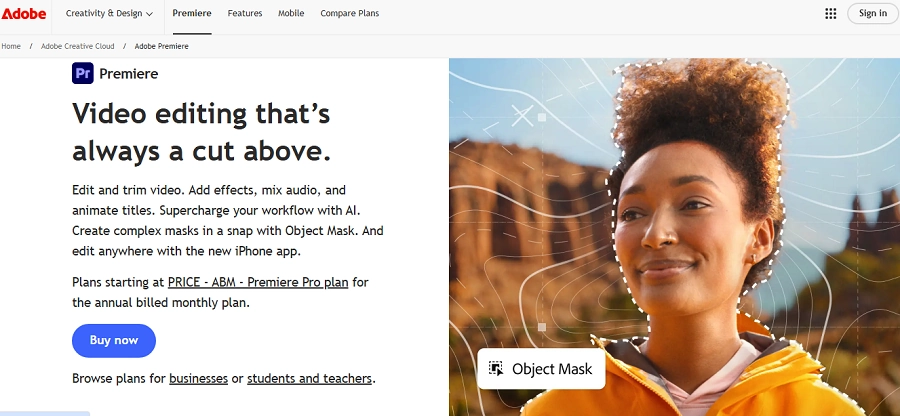
Adobe Premiere Pro remains the industry-standard timeline-based video editing software in 2026. Unlike Descript, which focuses on AI-driven transcript editing, Premiere Pro offers granular control over every frame.
It supports cinematic color grading, motion graphics integration with After Effects, advanced transitions, and broadcast-level output. Adobe has also integrated AI features like auto-reframe, speech-to-text captions, and color matching.
For professional filmmakers, agencies, and YouTube creators seeking advanced visual storytelling, Premiere Pro surpasses Descript in creative depth. However, it has a steeper learning curve and lacks Descript’s simplicity for podcast workflows.
Features of Adobe Premiere Pro
- Advanced Timeline Editing: Frame-level precision control.
- AI Speech-to-Text: Generate captions automatically.
- Lumetri Color Grading: Professional color correction tools.
- Motion Graphics Integration: Seamless After Effects workflow.
- 4K & 8K Support: High-resolution exports.
Pricing of Adobe Premiere Pro
| Plan | Monthly Price | Annual Price | Features Included | Ideal User |
| Single App | $22.99 | ~$20.99/mo annually | Premiere Pro only | Professionals |
| Creative Cloud | $59.99 | ~$54.99/mo annually | Full Adobe suite | Agencies |
Pros of Adobe Premiere Pro
- Professional-grade control
- Industry standard
- Advanced AI features
Cons of Adobe Premiere Pro
- Steep learning curve
- Expensive subscription
- Overkill for simple edits
16. Otter.ai
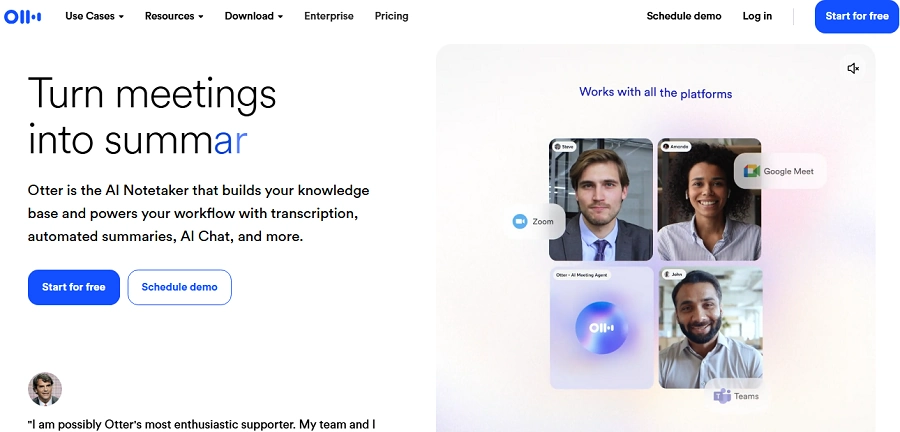
Otter.ai is primarily an AI transcription and meeting assistant platform. It automatically records, transcribes, and summarizes meetings in real time.
Compared to Descript, Otter is not a video editor but excels in transcription accuracy and live meeting capture. For journalists, researchers, and corporate teams, Otter is invaluable.
If your workflow centers on documentation rather than publishing video, Otter can complement Descript.
Features of Otter.ai
- Live Transcription: Real-time meeting capture.
- AI Summaries: Automatically generates key takeaways.
- Speaker Identification: Recognizes multiple speakers.
- Searchable Transcripts: Quickly find keywords.
- Zoom Integration: Auto-join meetings.
Pricing of Otter.ai
| Plan | Monthly Price | Annual Price | Features Included | Ideal User |
| Basic | $0 | $0 | Limited minutes | Individuals |
| Pro | $16.99 | ~$10/mo annually | More minutes & export | Professionals |
| Business | $30 | ~$20/mo annually | Admin tools | Teams |
Pros of Otter.ai
- Accurate transcription
- Strong meeting integration
- Affordable
Cons of Otter.ai
- Not a video editor
- Limited media production tools
Final Thoughts: What’s the Best AI-Powered Audio/Video Editor in 2026?
There is no single winner among these tools. You have to choose the right tool according to your needs. Here is a simple guide:
- Best for Beginners: CapCut or VEED
- Best for Podcasters: Descript Pro or Riverside
- Best for YouTubers: Descript + CapCut combo
- Best for AI Avatars: HeyGen or Synthesia
- Best for Enterprise Training: Synthesia or Colossyan
- Best for Cinematic Production: Adobe Premiere Pro
Descript remains one of the strongest AI video editing tools in 2026, especially for spoken content. But depending on your needs, one of these Descript alternatives may serve you better.
FAQs
Descript is better for text-based podcast editing. Premiere Pro is superior for advanced cinematic editing.
Riverside for recording, Reduct.Video for text-based editing, and CapCut for free AI editing.
Yes, especially for creators producing regular spoken-word content.
Descript for talking-head content. CapCut for short-form videos.
Yes, available on higher-tier plans.
CapCut offers one of the strongest free AI editing plans available.