
Looking to take your photos to the next level in 2025? AI-powered photo editors have revolutionized how we enhance, retouch, and transform images — whether you’re a professional photographer, social media creator, or hobbyist.
These tools combine intelligent automation with creative control, helping you save time, improve quality, and get professional results without a steep learning curve.
In this guide, we’ve rounded up the 20 best AI photo editor tools, from advanced professional suites to easy-to-use creative apps, and even specialized AI helpers for tasks like background removal and image culling. You’ll discover which tools are ideal for portrait retouching, landscape enhancements, social media graphics, and more — complete with key features, pricing, and pros and cons.
Whether you want to streamline your workflow, experiment with creative edits, or produce polished visuals in minutes, this list will help you find the right AI photo editor for your needs.
🧠 Professional / Advanced AI Photo Editors
These are aimed at serious photographers or designers who want deep control plus powerful automation.
1. Adobe Photoshop
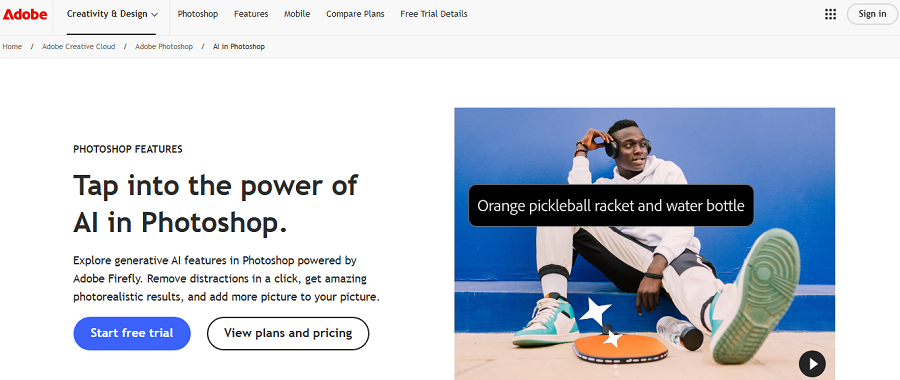
Adobe Photoshop is the gold standard image editor used by professionals worldwide. With Neural Filters and other AI‑powered functionality, it now blends full manual control with intelligent automation.
Whether you’re doing high‑end retouching, compositing, or creative work, Photoshop is built for all-around capability and long‑term workflows.
Features of Adobe Photoshop
- Neural Filters: Apply AI‑powered edits like face swaps, style transfers, and skin smoothing in just a few clicks.
- Select Subject & Sky Masking: Quickly isolate people, objects, or skies in an image so you can adjust them independently.
- Generative Fill / Expand: Seamlessly extend image areas or fill missing parts using AI-generated content.
- Content‑Aware Fill: Remove unwanted elements and let the tool fill in the space realistically.
- Advanced Layer & Mask Control: Maintain full control over layers, masks, and blending for precise editing.
- RAW & Camera Integration: Edit RAW images with AI‑assisted tone, exposure, and color adjustments built in.
- Smart Object Support: Preserve image quality while doing non‑destructive edits and transformations.
Pricing of Adobe Photoshop
| Aspect | Details |
|---|---|
| Pricing Model | Subscription-based |
| Plans & Costs | Photography (1TB): $19.99/month or $239.88/year Standalone: $34.49/month or $263.88/year |
| Free Trial | 7 days |
| Free Version | No |
| Notes | $9.99/month entry plan discontinued (Jan 2025). Existing monthly users → $14.99/month. |
Pros of Adobe Photoshop
✅ Industry leader with a comprehensive set of tools.
✅ Deep control over both manual and AI‑powered editing.
✅ Strong integration with the Adobe ecosystem and cloud workflows.
✅ Frequent updates with the latest AI features.
Cons of Adobe Photoshop
❌ Steep learning curve for beginners.
❌ Subscription‑only licensing (no affordable one‑time purchase).
❌ Might be more than needed if you only want quick, simple edits.
2. Luminar Neo
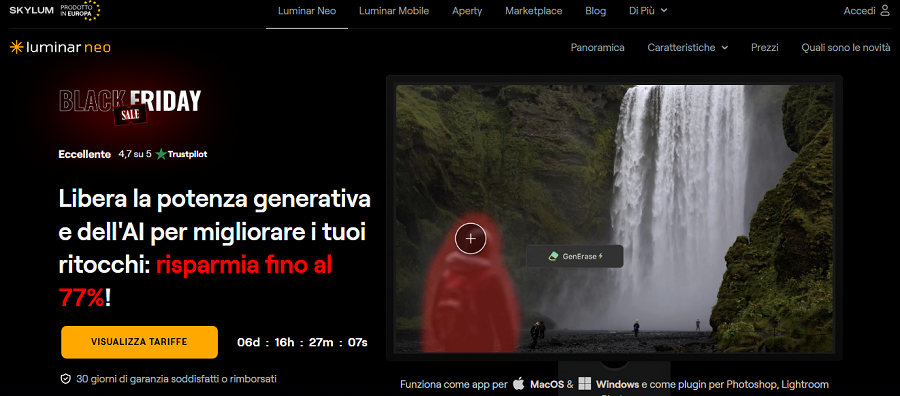
Luminar Neo is a modern AI‑first photo editor designed for photographers and creative professionals who want stunning results without long editing sessions.
It combines intelligent automation with manual control, making it suitable for landscapes, portraits, and creative compositing.
With AI tools like Sky Replacement, Relight, and AI Structure, it helps you can transform ordinary photos into professional‑looking images in minutes. Its simplicity and speed make it appealing to both hobbyists and semi‑professional users.
Features of Luminar Neo
- Sky Replacement & Enhancement: Replace or enhance skies in a photo with AI that automatically masks and blends the new sky seamlessly.
- Relight AI: Adjust the lighting in a scene after the photo is taken, including direction, brightness, and warmth.
- AI Structure: Enhance details in selected areas without over-sharpening the rest of the image.
- Face & Skin AI: Detect and retouch faces, smooth skin, and enhance eyes realistically for portrait shots.
- Object Removal & Background Clean-Up: Remove distractions, objects, or imperfections automatically.
- Accent AI: Apply intelligent adjustments to color, contrast, and exposure with one slider.
- Portrait Bokeh AI: Create natural background blur around subjects without manual masking.
- Templates & Presets: Use pre-built AI‑powered templates to get consistent results quickly.
Pricing of Luminar Neo
| Aspect | Details |
|---|---|
| Pricing Model | One-time perpetual license |
| Plans & Costs | Desktop: $99 Cross-Device: $139 Max: $159 Upgrades: $49–$69 |
| Free Trial | 7 days |
| Free Version | No |
| Notes | No subscriptions; 30-day money-back. |
Pros of Luminar Neo
✅ Fast AI-assisted workflow with strong automation.
✅ One-time purchase available for budget-conscious users.
✅ Easy to learn, even for hobbyists.
✅ Good balance of creative and corrective tools.
Cons of Luminar Neo
❌ Some advanced editing options are less mature than legacy software.
❌ Photo management/library functions are limited.
❌ Occasional AI errors in complex scenes require manual fixes.
3. Topaz Photo AI
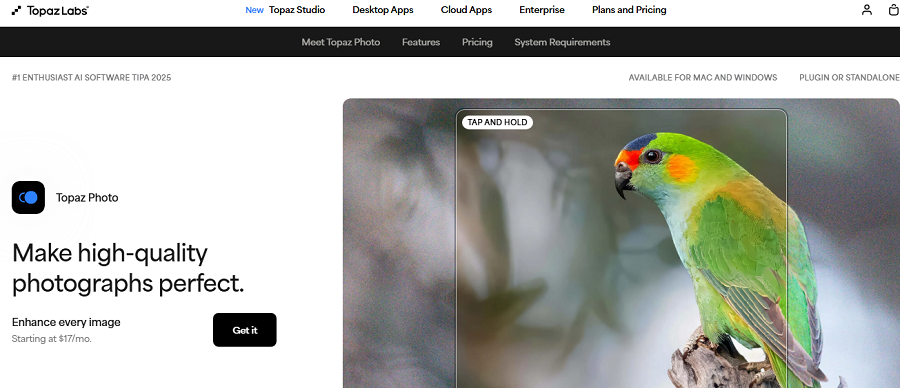
Topaz Photo AI focuses on enhancing image quality with AI, making it a specialist tool for photographers who need sharp, clean, high-resolution results quickly. It excels at correcting noise, sharpening blurred photos, and upscaling images for prints or cropping.
While it does not offer full creative editing, its AI-powered corrections can save hours of painstaking manual adjustments. It’s ideal for professionals, e-commerce photographers, or anyone needing rapid image rescue.
Features of Topaz Photo AI
- Denoise AI: Remove image noise while preserving fine details for cleaner results.
- Sharpen AI: Correct blur caused by camera shake or soft focus automatically.
- Upscale AI: Increase image resolution without losing quality, perfect for large prints or cropping.
- Batch Processing: Apply consistent AI corrections to multiple images simultaneously.
- Face Refinement AI: Detect and enhance facial details during denoising or sharpening.
- JPEG Artifact Removal: Remove compression artifacts and restore image quality.
- Lens & Perspective Correction: Correct distortions caused by lenses or perspective issues.
- Automatic Quality Analysis: Suggests optimal AI settings based on image content.
Pricing of Topaz Photo AI
| Aspect | Details |
|---|---|
| Pricing Model | Subscription (perpetual ended Oct 2025) |
| Plans & Costs | Standard: $39/month or $199/year Topaz Studio Bundle: $399/year Pro: $599/year |
| Free Trial | 30 days |
| Free Version | No |
| Notes | Legacy perpetual: $199 one-time (pre-Oct 2025). |
Pros of Topaz Photo AI
✅ Outstanding results for noise, blur, and upscaling.
✅ Simple workflow for image rescue tasks.
✅ Batch processing saves time for large shoots.
Cons of Topaz Photo AI
❌ Not a full creative editor — needs another tool for full post-processing.
❌ Higher system requirements can slow older machines.
❌ AI suggestions sometimes require manual fine-tuning.
4. Capture One
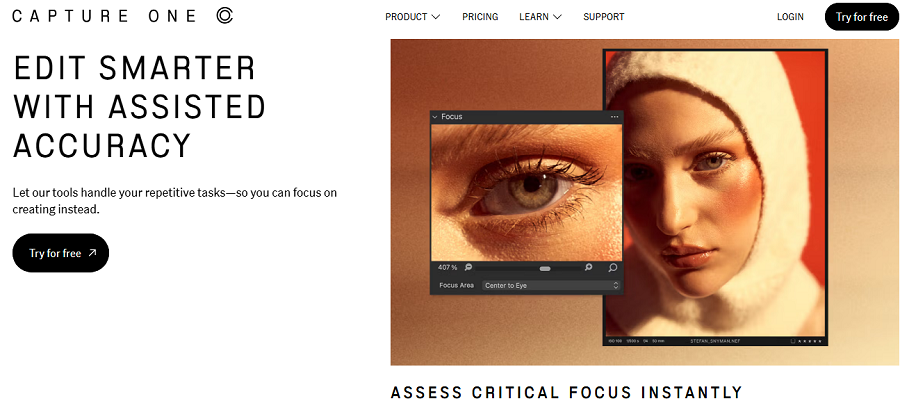
Capture One is a professional-grade RAW editor renowned for its superior color fidelity and precise workflow tools. Its AI features, like automatic masking and smart adjustments, help photographers work faster without losing creative control.
Designed for studio, commercial, and high-volume photographers, it manages both post-processing and asset organization efficiently. Capture One is ideal for users who demand top-quality RAW conversion and advanced tethered shooting support.
Features of Capture One
- Smart Adjustments: Automatically detect subjects and apply masks to speed up editing tasks.
- RAW Workflow: Edit high-resolution RAW files while preserving maximum image quality.
- Advanced Color Grading: Apply precise color profiles and style adjustments for consistent results.
- Tethered Capture & Studio Tools: Perfect for studio shoots, allowing live previews and adjustments.
- Layered Adjustments: Apply selective corrections to parts of an image without affecting the whole.
- Lens & Perspective Correction: Correct optical distortions and perspective issues intelligently.
- Noise Reduction & Sharpening: Reduce noise and enhance sharpness using AI-assisted algorithms.
- Session & Asset Management: Organize, track, and export large volumes of images efficiently.
Pricing of Capture One
| Aspect | Details |
|---|---|
| Pricing Model | Subscription or perpetual |
| Plans & Costs | Pro Desktop: $18.59/month or $223/year All-in-One Bundle: $26.91/month or $323/year Perpetual: $372.87 |
| Free Trial | 30 days |
| Free Version | No (free for Sony/Fujifilm) |
| Notes | 6% price increase (April 2025). |
Pros of Capture One
✅ Professional-level RAW editing and color control.
✅ Excellent for studio and commercial workflows.
✅ Smart AI tools speed up repetitive tasks.
✅ Strong integration with cameras and tethered capture.
Cons of Capture One
❌ Higher cost and steeper learning curve.
❌ AI features are less central compared to automation-first editors.
❌ Might be overwhelming for casual users.
5. Pixelmator Pro
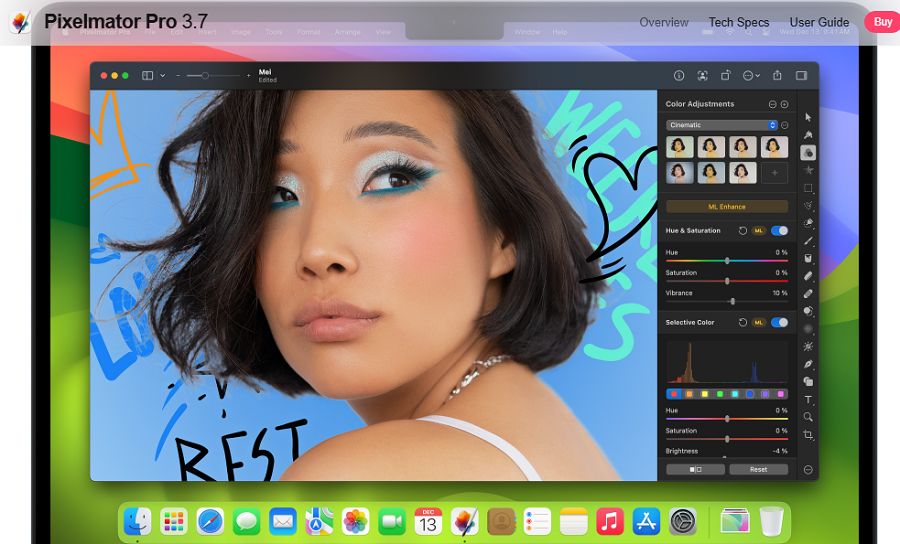
Pixelmator Pro is a Mac-native editor that combines traditional editing tools with AI-powered features for both photographers and graphic designers.
It is ideal for users who want a modern interface, fast performance, and intelligent assistance without leaving macOS. Its AI tools help you select objects, enhance images, and apply effects quickly, making it suitable for professional and hobbyist workflows.
Features of Pixelmator Pro
- Machine-Learning Assisted Selection: Automatically select people, objects, or backgrounds with precision.
- Layered Graphic Editing: Edit multiple layers with masks and blending options for complex compositions.
- Color Grading Tools: Adjust colors, tones, and contrast with AI-assisted guidance.
- Super Resolution: Increase image size while maintaining clarity and detail.
- RAW Support: Handle RAW files with AI-assisted adjustments for exposure, tone, and color
- Background Removal: Quickly isolate subjects from backgrounds for compositing.
- Portrait Retouch: Smooth skin, enhance eyes, and apply beauty adjustments automatically.
- AI-Powered Effects: Apply artistic effects intelligently, adapting them to the content of your image.
Pricing of Pixelmator Pro
| Aspect | Details |
|---|---|
| Pricing Model | One-time purchase |
| Plans & Costs | Full version: $39.99 |
| Free Trial | No |
| Free Version | No |
| Notes | Free lifetime updates (Mac/iPad). |
Pros of Pixelmator Pro
✅ Fast and modern interface optimized for Mac.
✅ Excellent combination of manual control and AI assistance.
✅ Affordable one-time purchase compared to subscription-based apps.
✅ Smooth handling of RAW files.
Cons of Pixelmator Pro
❌ Mac-only software.
❌ Smaller plugin ecosystem compared to Photoshop.
❌ Limited advanced features for complex retouching.
6. Aurora HDR
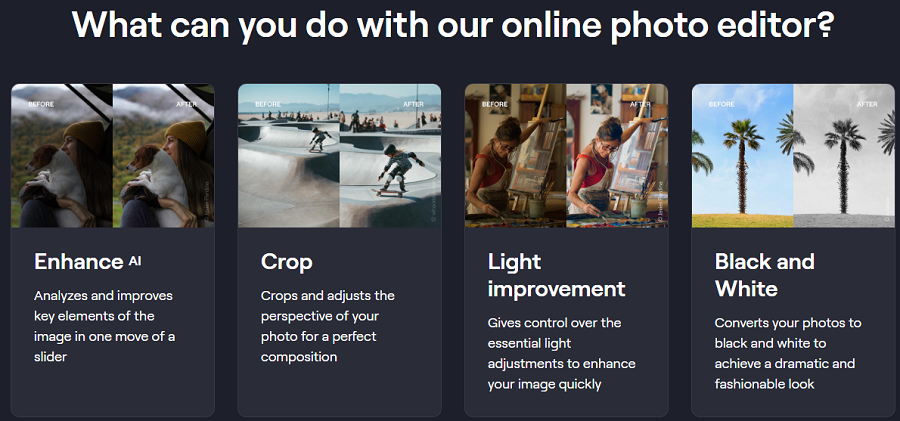
Aurora HDR is designed specifically for high dynamic range photography. It uses AI to merge multiple exposures into a single image, producing professional-quality results with minimal effort.
Ideal for landscape, architectural, and real estate photographers, Aurora HDR combines automatic corrections with manual controls for precise tone and detail adjustments. Its AI engine helps speed up the HDR workflow without compromising quality.
Features of Aurora HDR
- AI HDR Merge: Automatically combine multiple exposures into one detailed image.
- Tone Mapping: Adjust highlights, shadows, and contrast intelligently to produce natural results.
- HDR Enhancer: Fine-tune brightness and color for a balanced, professional look.
- Luminosity Masking: Target specific areas for detailed light and color adjustments.
- AI Structure: Enhance details in textures and subjects without affecting noise.
- Preset Library: Use AI-enhanced presets to apply professional styles instantly.
- Sky Enhancement: Improve or replace skies in HDR images using intelligent masking.
- Noise Reduction: Reduce HDR artifacts and noise while keeping details sharp.
Pricing of Aurora HDR
| Aspect | Details |
|---|---|
| Pricing Model | One-time purchase |
| Plans & Costs | $99–$159 |
| Free Trial | 7 days |
| Free Version | No |
| Notes | Legacy 2019: $99 one-time. |
Pros of Aurora HDR
✅ Best-in-class HDR merging and tone mapping.
✅ AI assistance speeds up complex workflows.
✅ Excellent for landscape and architectural photography.
✅ Preset library saves time for repetitive edits.
Cons of Aurora HDR
❌ Limited use outside HDR workflows.
❌ Not ideal for portrait or general editing.
❌ Some presets may require manual adjustments for best results.
7. Radiant Photo
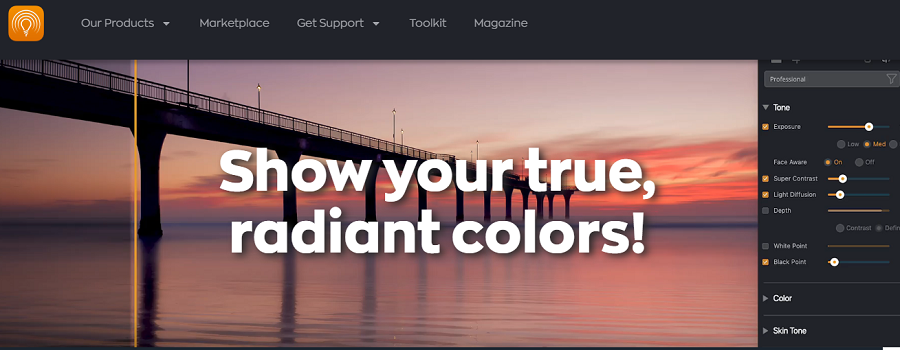
Radiant Photo uses AI to automatically analyze images and apply corrections based on scene content. It is aimed at photographers who need a fast starting point but still want manual refinement options.
Radiant is ideal for portrait, landscape, or product photography where time savings and consistency are critical. Its AI workflow allows for high-quality results with minimal manual input.
Features of Radiant Photo
- Automatic Scene Analysis: Detects scene type and applies intelligent corrections.
- Exposure & Color Correction: Adjust brightness, contrast, and color balance automatically.
- Skin & Portrait Retouching: Smooth skin and enhance facial features with AI guidance.
- Object Removal: Eliminate distractions or unwanted elements efficiently.
- Batch Editing: Apply consistent edits across multiple images.
- RAW Support: Process RAW files with AI-assisted enhancements.
- Manual Refinement Tools: Fine-tune AI corrections for precise results.
- Export Options: Export in multiple formats with optimized quality settings.
Pricing of Radiant Photo
| Aspect | Details |
|---|---|
| Pricing Model | One-time perpetual |
| Plans & Costs | Standard: $119 (promo; reg. $159) Upgrade: $89 (promo; reg. $99) |
| Free Trial | 30 days |
| Free Version | No |
| Notes | Promo ends Jan 2025. |
Pros of Radiant Photo
✅ Fast automatic corrections save time.
✅ Good balance between AI automation and manual control.
✅ Batch processing boosts workflow efficiency.
✅ Supports RAW files for high-quality output.
Cons of Radiant Photo
❌ Less creative control than full editors.
❌ Smaller feature set compared to pro suites.
❌ AI may misinterpret complex scenes occasionally.
8. Retouch4me

Retouch4me is a collection of AI-powered plugins designed to streamline professional portrait and studio retouching.
It automates repetitive tasks such as skin smoothing, dodge & burn, and fabric retouching. Ideal for photographers handling large numbers of images, it allows for high-quality results in less time. Retouch4me complements traditional editors rather than replacing them.
Features of Retouch4me
- Skin Retouch: Smooths skin while preserving natural texture.
- Dodge & Burn AI: Lightens and darkens areas to enhance depth in portraits automatically.
- Fabric Retouch: Corrects clothing textures, wrinkles, and folds efficiently.
- Blemish Removal: Quickly remove imperfections with AI detection.
- Eye & Teeth Enhancement: Brighten eyes and teeth for professional results.
- Batch Processing: Apply retouching across multiple portraits automatically.
- Plugin Integration: Works seamlessly within Photoshop and Lightroom.
- Hair & Background Correction: Refine hair details and smooth background imperfections.
Pricing of Retouch4me
| Aspect | Details |
|---|---|
| Pricing Model | One-time per plugin |
| Plans & Costs | Per plugin: $124–$149 (3 devices) Video tools: $124–$349 Cloud: $20 / 100 retouches |
| Free Trial | No |
| Free Version | Yes (Panel, Freq. Sep., Color Match) |
| Notes | PS/LR plugins. |
Pros of Retouch4me
✅ Saves significant time for portrait retouching.
✅ High-quality, realistic results.
✅ Efficient for studio and high-volume workflows.
✅ Integrates with professional editors.
Cons of Retouch4me
❌ Requires host software like Photoshop or Lightroom.
❌ Buying multiple modules can get expensive.
❌ Not a standalone full editing solution.
💼 Prosumer / All-in-One Editors
9. PhotoDirector
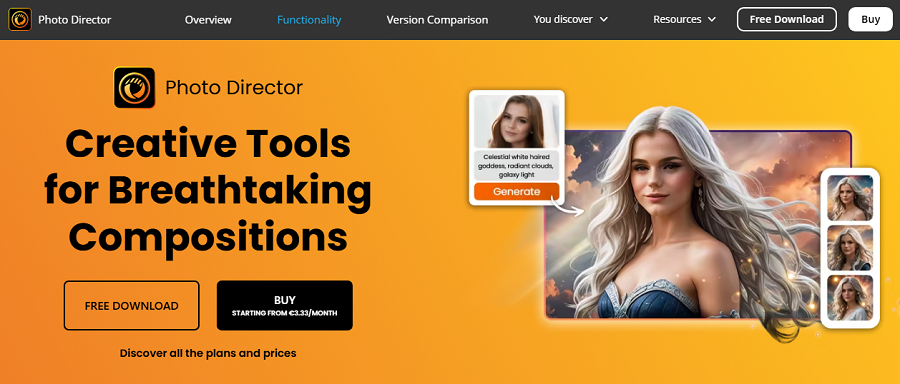
PhotoDirector is a versatile photo editor that balances AI-powered automation with manual control, making it ideal for hobbyists, prosumers, and semi-professional photographers.
It offers tools for everything from quick corrections to creative compositing, including AI sky replacement and smart object removal. PhotoDirector is perfect if you want to speed up your workflow while still retaining flexibility for more detailed edits.
Features of PhotoDirector
- AI Sky Replacement: Replace skies seamlessly while maintaining realistic lighting and reflections.
- Object Removal: Eliminate unwanted elements from your images automatically.
- AI-Powered Color Enhancement: Adjust color, brightness, and contrast with intelligent suggestions.
- Portrait Retouch: Smooth skin, enhance eyes, and refine facial features automatically.
- Layer & Mask Support: Apply selective adjustments without affecting the entire image.
- Preset Effects & Filters: Quickly apply creative styles and professional looks to your photos.
- Lens Correction: Automatically correct distortion and vignetting from your camera lens.
- Batch Editing: Apply the same adjustments to multiple images at once.
Pricing of PhotoDirector
| Aspect | Details |
|---|---|
| Pricing Model | One-time or subscription |
| Plans & Costs | Ultra: $99.99 one-time Bundle (w/ PowerDirector): $169.99 365: $39.99/year Director Suite: $99.99/year |
| Free Trial | 30 days |
| Free Version | No |
Pros of PhotoDirector
✅ Combines automation with manual control.
✅ Good for hobbyists and prosumers.
✅ Efficient workflow with batch processing.
✅ Wide range of AI-assisted tools.
Cons of PhotoDirector
❌ Not as powerful as professional editors for complex tasks.
❌ The interface can feel busy for beginners.
❌ Occasional AI errors may need manual correction.
10. PhotoWorks
PhotoWorks is an AI-powered photo editor designed for simplicity and speed. Its intuitive interface and automatic tools make it ideal for beginners or content creators who need quick, high-quality results.
PhotoWorks focuses on intelligent portrait retouching, object removal, and one-click corrections, while still offering manual adjustments for more control.
Features of PhotoWorks
- One-Click Enhancements: Automatically fix exposure, color, and contrast for fast results.
- Portrait Retouching: Smooth skin, whiten teeth, and enhance facial features automatically.
- AI Object Removal: Remove unwanted elements without tedious manual selection.
- Color Correction: Adjust tones, saturation, and vibrance intelligently.
- Preset Effects: Apply ready-made artistic filters to transform your images.
- RAW Editing: Supports RAW files for higher quality edits.
- Batch Processing: Apply consistent edits to multiple photos at once.
- Background Replacement: Swap or edit backgrounds with AI masking tools.
Pricing of PhotoWorks
| Aspect | Details |
|---|---|
| Pricing Model | One-time purchase |
| Plans & Costs | Full license: $49.99 (often $20–$30 promo) |
| Free Trial | 20 days |
| Free Version | No |
| Notes | Windows-only. |
Pros of PhotoWorks
✅ Extremely beginner-friendly.
✅ Fast results with AI-assisted tools.
✅ Supports RAW files for higher-quality output.
✅ Efficient for batch processing.
Cons of PhotoWorks
❌ Limited advanced manual controls.
❌ May struggle with complex edits.
❌ Less suited for professional post-production workflows.
11. ACDSee Photo Studio
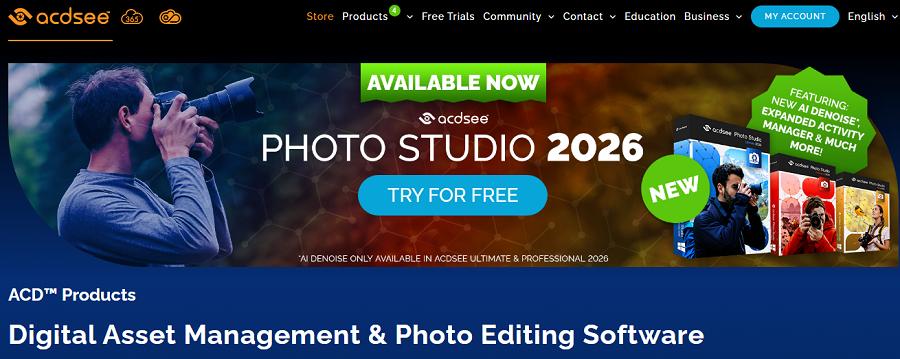
ACDSee Photo Studio is a hybrid solution combining photo editing, AI automation, and asset management. It is ideal for photographers with large image libraries who need to organize, edit, and tag photos efficiently.
Its AI tools include facial recognition, smart enhancements, and auto adjustments that streamline everyday editing tasks.
Features of Photo Studio
- AI Face Recognition & Tagging: Automatically detect and tag faces for faster sorting and organization.
- RAW Editing: Full support for RAW files with advanced adjustment tools.
- Smart Auto Adjustments: Correct exposure, contrast, and color intelligently.
- Layered Editing: Apply selective adjustments using layers and masks.
- Batch Processing: Edit or convert multiple images at once efficiently.
- Organizational Tools: Manage large image libraries with metadata, ratings, and keywords.
- Lens Correction: Automatically fix distortion, chromatic aberration, and vignetting.
- Export Options: Save images in multiple formats with optimized settings.
Pricing of Photo Studio
| Aspect | Details |
|---|---|
| Pricing Model | One-time or subscription |
| Plans & Costs | Standard: $79 one-time Professional: $99.99 one-time Ultimate: $149.99 one-time Ultimate sub: $8.90/month or $89/year |
| Free Trial | Yes |
| Free Version | No |
Pros of Photo Studio
✅ Excellent for managing large image libraries.
✅ AI features speed up routine editing tasks.
✅ All-in-one editing and organizational solution.
✅ RAW support with professional-level adjustments.
Cons of Photo Studio
❌ Editing features are not as deep as specialist tools.
❌ The interface may feel overwhelming for beginners.
❌ AI corrections occasionally need manual refinement.
12. InPixio
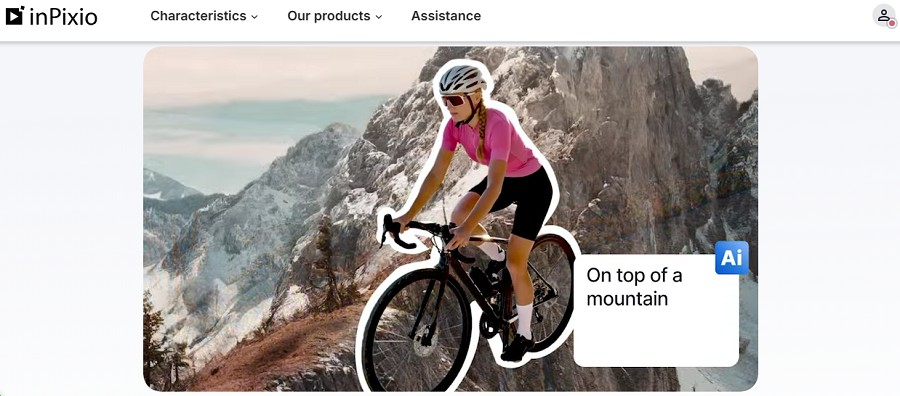
InPixio is an accessible, easy-to-use photo editor that emphasizes AI-powered background replacement, object removal, and creative filters.
It is ideal for beginners, social media content creators, and casual photographers who want results quickly without a steep learning curve. InPixio prioritizes speed and convenience while still offering some flexibility for creative edits.
Features of InPixio
- AI Background Swap: Replace or remove backgrounds in a few clicks.
- Object Removal: Automatically remove unwanted elements from photos.
- Photo Filters & Effects: Apply stylistic filters for creative results quickly.
- Color & Exposure Adjustment: Use AI-assisted sliders to enhance brightness, contrast, and color.
- Portrait Retouching: Smooth skin and enhance facial features with minimal effort.
- Cropping & Resizing Tools: Easily adjust composition and image size.
- One-Click Corrections: Correct common issues like overexposure or color imbalance.
- Template & Collage Tools: Create social media graphics and collages with ease.
Pricing of InPixio
| Aspect | Details |
|---|---|
| Pricing Model | Annual sub or one-time bundles |
| Plans & Costs | Photo Studio: $49.99/year Pro: $59.99/year Bundles: $59.99–$79.99 one-time |
| Free Trial | 30 days |
| Free Version | Lite version |
Pros of InPixio
✅ Very beginner-friendly with easy-to-use tools.
✅ Fast background and object removal.
✅ Quick social media-ready edits.
✅ Affordable compared to professional suites.
Cons of InPixio
❌ Limited manual control for advanced users.
❌ Output quality may not meet professional standards.
❌ Fewer AI features compared to higher-end editors.
13. PhotoPos Pro
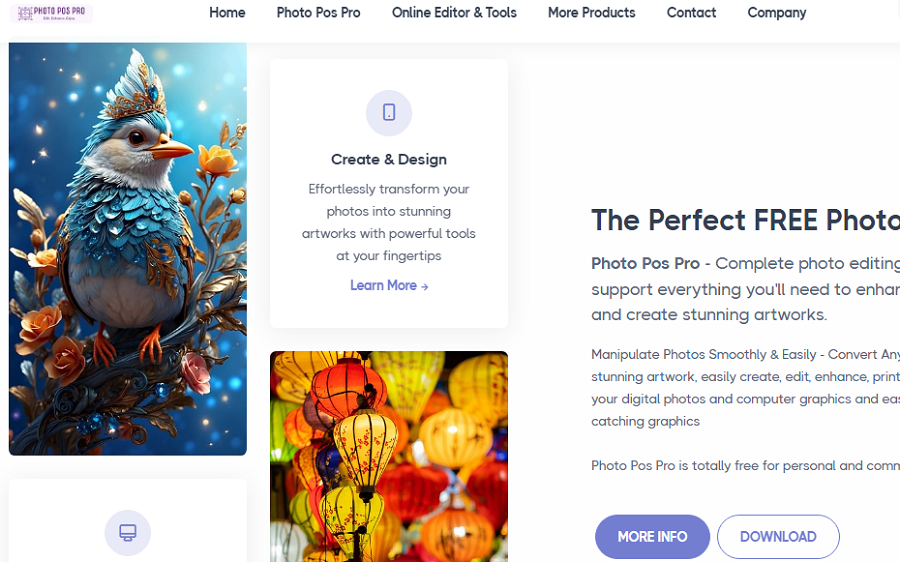
PhotoPos Pro is a budget-friendly photo editor designed for everyday editing and minor creative projects.
It includes AI-powered auto corrections, filters, and a simple interface, making it accessible to beginners and casual users.
PhotoPos Pro offers enough flexibility for general photo editing while keeping complexity low for faster workflows.
Features of PhotoPos Pro
- Auto Correction Tools: Automatically fix brightness, contrast, and color balance.
- Built-in Filters & Effects: Apply artistic and creative filters quickly.
- Layer & Mask Support: Work with layers for selective edits.
- RAW File Support: Edit RAW images with basic AI enhancements.
- Cropping & Resizing: Adjust composition and image size easily.
- Basic Retouching: Remove blemishes and minor imperfections.
- Template Library: Access pre-built designs for quick projects.
- Export in Multiple Formats: Save photos in popular formats with optimized settings.
Pricing of PhotoPos Pro
| Aspect | Details |
|---|---|
| Pricing Model | Free + premium extensions |
| Plans & Costs | Full version: Free Premium extensions: One-time (price on request) |
| Free Trial | 21 days (premium) |
| Free Version | Yes |
Pros of PhotoPos Pro
✅ Low cost and beginner-friendly.
✅ Suitable for general everyday photo editing.
✅ Quick fixes with AI-assisted tools.
✅ Lightweight software for simple workflows.
Cons of PhotoPos Pro
❌ Lacks advanced AI features found in professional editors.
❌ Interface and workflow may feel less polished.
❌ Limited creative flexibility for complex edits.
🎨 Creative / Social-Media-Focused Editors
14. Canva
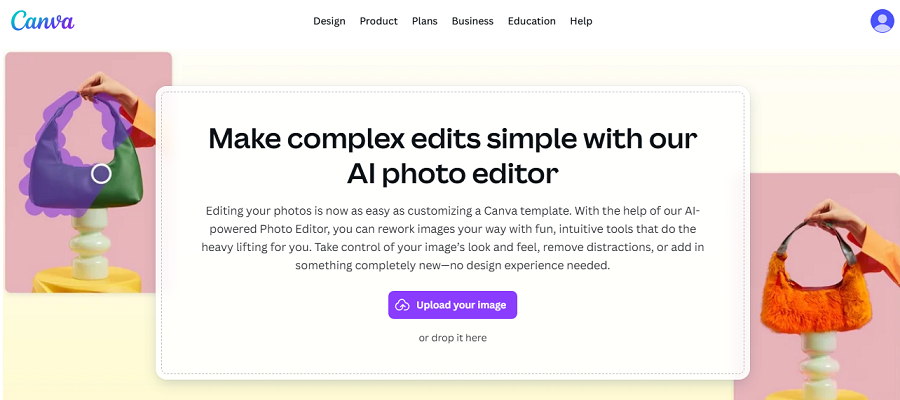
Canva is a popular browser-based design platform that now includes AI-powered photo editing features. It’s perfect for social media creators, marketers, and small businesses who need quick, polished visuals without complex software.
Canva’s AI tools help you remove backgrounds, edit portraits, and apply creative effects in minutes, while the built-in templates make layout and design simple. It’s ideal for anyone who wants to combine photo editing with graphic design.
Features of Canva
- Magic Edit & Background Removal: Replace parts of an image or remove backgrounds with AI-powered precision.
- Photo Enhancement: Automatically adjust brightness, contrast, and saturation for optimal results.
- AI Effects & Filters: Apply artistic filters and styles intelligently to match your design.
- Templates & Layouts: Use pre-made social media and marketing templates for fast creation.
- Text & Graphic Overlays: Add stylish text, shapes, and stickers easily.
- Collaboration Tools: Share projects and collaborate in real-time with team members.
- Mobile & Browser Access: Edit from anywhere without installing software.
- Export Options: Save designs in multiple formats optimized for web or print.
Pricing of Canva
| Aspect | Details |
|---|---|
| Pricing Model | Freemium subscription |
| Plans & Costs | Pro: $12.99/month or $119.99/year Teams: $14.99/month (first 5 users) + $5/user |
| Free Trial | 30 days |
| Free Version | Yes |
| Notes | Enterprise: Custom. |
Pros of Canva
✅ Fast and accessible for social media and marketing content.
✅ AI-assisted photo and graphic editing in one platform.
✅ Beginner-friendly with easy-to-use templates.
✅ Cloud-based, works on any device.
Cons of Canva
❌ Not suitable for advanced professional photo retouching.
❌ Some features require a Pro subscription.
❌ Limited control compared to desktop editing software.
15. Pixlr
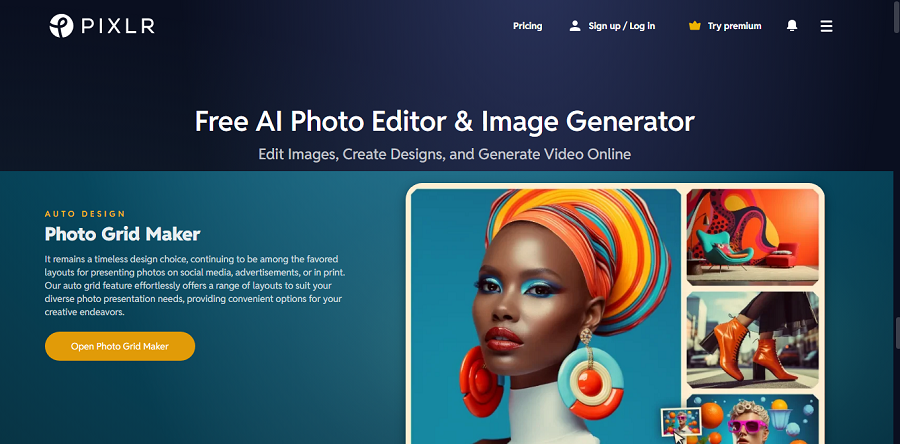
Pixlr is a web-based photo editor offering a combination of AI-powered tools and traditional editing. It’s designed for fast, creative edits without installing heavy software.
Pixlr’s AI features simplify background removal, object correction, and creative effects, making it ideal for social media creators and casual photographers.
Features of Pixlr
- AI Background & Object Removal: Quickly isolate subjects or remove distractions with one click.
- Generative Fill: Automatically fill or replace areas of the image intelligently.
- Creative Filters & Effects: Apply artistic styles using AI suggestions.
- Collage & Layout Tools: Create social media-ready collages and layouts easily.
- Text & Sticker Overlay: Add text, shapes, and graphics to images for visual storytelling.
- Layer Support: Work with multiple layers for more creative control.
- Batch Processing: Edit multiple images simultaneously to save time.
- Browser-Based Access: Edit directly online without software installation.
Pricing of Pixlr
| Aspect | Details |
|---|---|
| Pricing Model | Freemium subscription |
| Plans & Costs | Premium: $0.99–$12.99/month (tiered) |
| Free Trial | 15 days |
| Free Version | Yes |
Pros of Pixlr
✅ Accessible from any browser, no installation needed.
✅ Quick AI-powered edits for social media and casual work.
✅ Good balance of creative tools and AI features.
✅ Layer and batch support increases flexibility.
Cons of Pixlr
❌ Free version has limited features and watermarks.
❌ Manual editing depth is lower than that of desktop editors.
❌ Some AI tools may misinterpret complex images.
16. Polarr
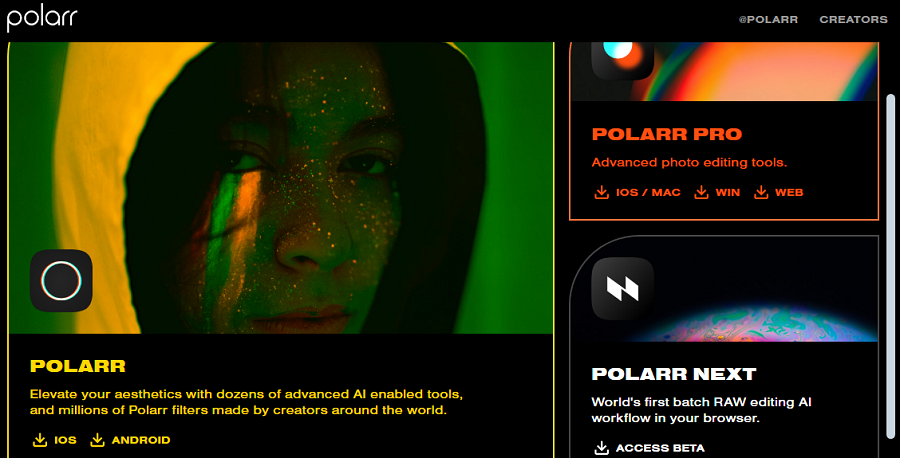
Polarr is a stylish photo editor aimed at creators who want AI-assisted adjustments and creative effects. Available on desktop and mobile, it lets users quickly apply filters, retouch portraits, and perform intelligent corrections.
Polarr is ideal for social media users and influencers who want professional-looking images with minimal effort.
Features of Polarr
- AI Style Transfer: Apply artistic styles and filters intelligently to your images.
- Portrait Retouch: Automatically smooth skin, enhance eyes, and refine facial features.
- Color & Tone Adjustments: Use AI-assisted sliders to correct exposure, contrast, and color.
- Overlay & Text Tools: Add graphics, watermarks, and text to your photos.
- Templates for Social Media: Quickly produce posts, banners, or ads with prebuilt layouts.
- Batch Editing: Apply adjustments to multiple images at once.
- Cross-Device Sync: Work seamlessly between mobile and desktop apps.
- Export Options: Save images optimized for social media or print.
Pricing of Polarr
| Aspect | Details |
|---|---|
| Pricing Model | Freemium + pay-per-export |
| Plans & Costs | Pro: $3.99/month Advanced: $9.99/month Next (AI): $10+/month or pay-per-export |
| Free Trial | Yes |
| Free Version | Yes (import/edit free) |
Pros of Polarr
✅ Stylish and fast for social media-oriented edits.
✅ AI-assisted retouching and effects save time.
✅ Cross-device accessibility.
✅ Batch processing for efficiency.
Cons of Polarr
❌ Limited advanced editing features.
❌ Some premium effects are locked behind a subscription.
❌ Not ideal for professional RAW workflows.
17. PicMonkey
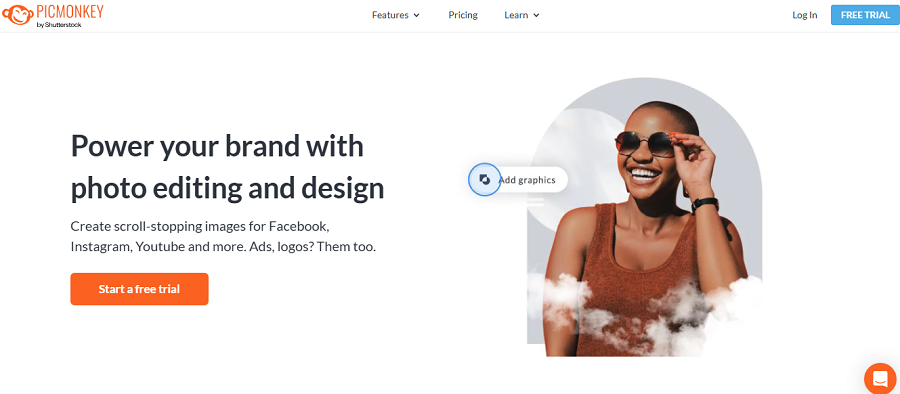
PicMonkey is a creative platform for social media content, combining photo editing and design features. Its AI tools simplify background removal, object retouching, and quick photo enhancements.
It is perfect for marketers, content creators, and small businesses who want to produce polished graphics and images quickly.
Features of PicMonkey
- Background Removal: Quickly isolate subjects for creative compositions.
- AI Retouch Tools: Smooth skin, brighten eyes, and enhance features automatically.
- Templates & Layouts: Ready-to-use templates for social media posts, ads, and flyers.
- Text & Graphic Overlays: Add creative elements with intuitive drag-and-drop tools.
- Filters & Effects: Apply AI-assisted filters for a consistent visual style.
- Collage & Design Tools: Combine multiple images into a single design.
- Export Options: Save in multiple formats for web or print use.
- Mobile Access: Edit on the go using mobile devices.
Pricing of PicMonkey
| Aspect | Details |
|---|---|
| Pricing Model | Subscription |
| Plans & Costs | Basic: $7.99/month or $72/year Pro: $12.99/month or $96/year Business: $33.99/month |
| Free Trial | 14 days |
| Free Version | No |
Pros of PicMonkey
✅ Quick and easy for social media content creation.
✅ AI tools reduce editing time.
✅ Integrated design features for graphics and text.
✅ Mobile-friendly platform.
Cons of PicMonkey
❌ Limited for complex professional photo editing.
❌ Subscription needed for full feature access.
❌ Fewer manual controls than desktop editors.
18. Fotor
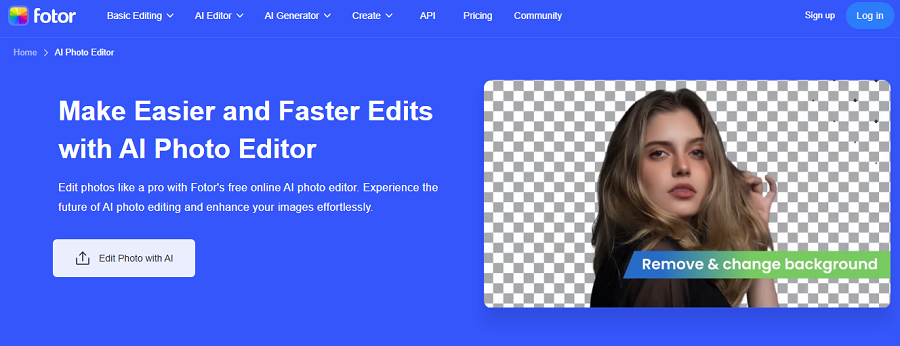
Fotor is a user-friendly, browser and mobile-based editor with AI-powered beauty and creative tools. It allows quick retouching, filter application, and basic generative edits.
Fotor is ideal for casual creators, influencers, and social media users who need fast results without learning complex software.
Features of Fotor
- AI Beauty & Portrait Retouching: Smooth skin, enhance eyes, and adjust facial features easily.
- Filters & Effects: Apply stylish filters to achieve professional-looking edits quickly.
- Background Removal: Remove or replace backgrounds automatically.
- Collage & Layout Tools: Combine multiple images into social media-friendly layouts.
- AI Art & Generation Tools: Generate creative variations or enhance existing images.
- Color Correction: Adjust exposure, contrast, and vibrancy with AI assistance.
- Template Library: Use pre-made templates for fast content creation.
- Export & Share Options: Save images optimized for web or social media platforms.
Pricing of Fotor
| Aspect | Details |
|---|---|
| Pricing Model | Freemium subscription |
| Plans & Costs | Pro: $8.99/month or $39.99/year Pro+: $19.99/month or $89.99/year |
| Free Trial | Yes |
| Free Version | Yes |
Pros of Fotor
✅ Quick edits for social media and casual photography.
✅ AI-assisted retouching and creative tools.
✅ Works on both browsers and mobile devices.
✅ Templates speed up content creation.
Cons of Fotor
❌ Limited advanced editing and manual control.
❌ Output may be less suitable for professional print work.
❌ Some features require a Pro subscription.
⚡ Specialized AI Tools
19. Remove.bg

Remove.bg is a specialized AI tool designed exclusively for removing backgrounds from images quickly and accurately. It’s ideal for e-commerce, marketing, and social media professionals who need clean cut-outs without manual masking.
The AI automatically detects subjects, even with complex edges like hair or fur, saving users significant time in production workflows.
Features of Remove.bg
- Automatic Background Removal: Instantly detect and remove backgrounds from images.
- Edge Refinement: Preserve fine details like hair or fur for realistic cut-outs.
- Batch Processing: Remove backgrounds from multiple images at once.
- Custom Background Replacement: Replace backgrounds with colors, patterns, or images.
- API Integration: Integrate Remove.bg into other software or workflows for automation.
- High-Resolution Support: Process images in full resolution for professional use.
- Download Options: Export images in PNG or JPG formats for versatile use.
- Browser & Desktop Access: Use via web browser or downloadable app for convenience.
Pricing of Remove.bg
| Aspect | Details |
|---|---|
| Pricing Model | Freemium + pay-per-use |
| Plans & Costs | Free: Low-res previews Subscription: $9/month (40 credits) Pay-per-HD: $0.20+ per image |
| Free Trial | Yes |
| Free Version | Yes (previews) |
| Notes | API: Custom pricing. |
Pros of Remove.bg
✅ Extremely fast and accurate background removal.
✅ Works well with complex edges and hair.
✅ Batch processing saves time for large projects.
✅ API allows integration into workflows.
Cons of Remove.bg
❌ Limited to background removal — not a full editor.
❌ High-resolution processing requires a paid plan.
❌ No advanced image adjustment tools included.
20. Aftershoot
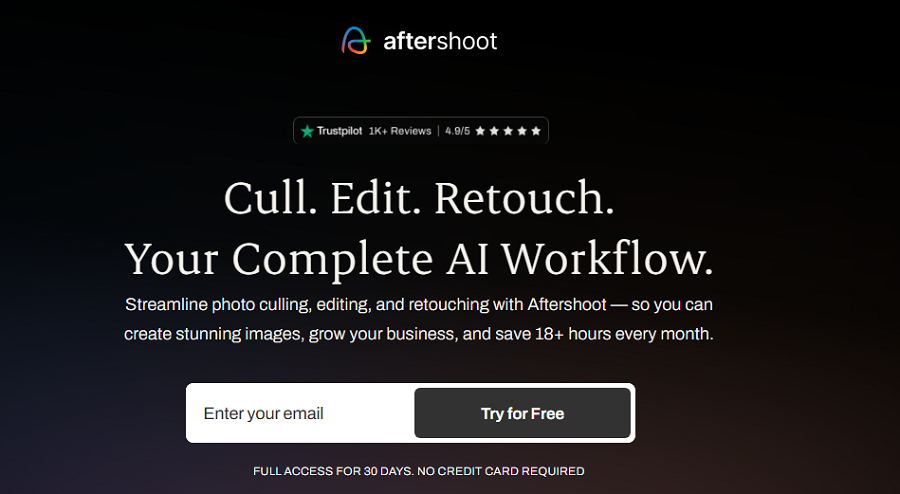
Aftershoot is an AI-driven culling tool for professional photographers, helping them sort and select the best images from large shoots automatically.
It analyses sharpness, focus, exposure, and even facial expressions to flag the best photos. Aftershoot is perfect for wedding, portrait, and event photographers who want to save hours of manual culling.
Features of Aftershoot
- Automatic Image Culling: Identify and select the best shots based on AI analysis.
- Focus & Sharpness Detection: Flag blurry or out-of-focus images automatically.
- Facial Expression Analysis: Highlight photos with smiles or desired expressions.
- Exposure & Quality Check: Detect underexposed or overexposed images.
- Batch Processing: Process entire shoots efficiently.
- CCustomizableCulling Settings: Adjust AI preferences to match your style.
- Integration with Editing Software: Export selections to Lightroom or Capture One.
- Time-saving Workflow: Reduce culling time from hours to minutes per shoot.
Pricing of Aftershoot
| Aspect | Details |
|---|---|
| Pricing Model | Subscription (unlimited images) |
| Plans & Costs | Starting at $10/month (4 tiers: culling → full AI editing) |
| Free Trial | Yes |
| Free Version | No |
| Notes | All plans: unlimited photos. |
Pros of Aftershoot
✅ Saves hours of manual culling.
✅ AI identifies the best images based on sharpness and expression.
✅ Batch processing handles large volumes efficiently.
✅ Integrates with professional editing workflows.
Cons of Aftershoot
❌ Limited to culling — not a photo editor.
❌ Subscription required for full features.
❌ May occasionally flag images differently than personal preference.
Conclusion
AI photo editors are no longer just a luxury—they’re an essential tool for photographers, creatives, and content creators in 2025. From full-featured professional editors like Adobe Photoshop and Capture One, to social-media-friendly apps like Canva and Fotor, there’s a solution for every skill level and workflow. Specialized tools such as Remove.bg and Aftershoot make repetitive tasks faster, letting you focus on creativity rather than manual work.
Now that you know the top AI photo editors available, you can choose the right tool to save time, enhance quality, and elevate your images. Whether you’re editing RAW files, designing social media content, or quickly removing backgrounds, there’s an AI solution to match your needs.
Try a few tools today and see how AI can transform your workflow.
FAQs
An AI photo editor uses artificial intelligence to automate or assist with tasks like retouching, background removal, color correction, and object removal, reducing manual work while enhancing results.
Tools like Canva, PhotoWorks, and Fotor are beginner-friendly with intuitive interfaces, AI-assisted editing, and ready-made templates for social media or casual projects.
Professional photographers often choose Adobe Photoshop, Capture One, or Luminar Neo, which offer advanced RAW editing, precise control, and intelligent AI features for high-quality results.
Pricing varies. Some editors like Canva Free and Pixlr Free are free with limited features, while professional suites like Photoshop or Capture One require subscriptions or one-time purchases.
Not entirely. While AI speeds up repetitive tasks and improves efficiency, advanced creative decisions and fine-tuned edits still benefit from human input.