

Music has always evolved with technology. From cassette decks to cloud-based playlists, the way we listen says as much about culture as it does about convenience.
Over the last decade, streaming apps have redefined what it means to “own” music, replacing dusty CD shelves with boundless, on-demand soundscapes. And now, in 2025, a new wave of listeners is asking a different question: Can we stream without being shackled by subscriptions, algorithms, or walls of ads?
Enter Freefy, an app that’s quietly building buzz for its free access model and stripped-back approach to music streaming. While giants like Spotify, YouTube Music, and Apple Music dominate the charts, Freefy has positioned itself as something more grassroots, a platform aiming to give listeners freedom over their music experience without drowning them in paywalls.
But what exactly is Freefy? How does it compare to the big players? And is it really worth your time in 2025? Let’s unpack everything in this full, no-nonsense review.
What Is the Freefy App?

Freefy is a free music streaming application designed to bring unlimited listening to users without the constant upsell of premium plans. It’s often described as a Spotify alternative for the free-spirited listener, focusing less on corporate playlists and more on open-access music discovery.
The app’s mission is simple: to make music universally accessible. Freefy doesn’t pretend to compete with every premium feature of paid platforms, but instead focuses on the essentials: a clean interface, a vast catalog, and minimal friction between you and the tracks you love.
Originally developed by a small team of tech enthusiasts, Freefy carved its niche by offering legal, ad-supported streaming without the heavy resource drain of some mainstream apps. While details about its origin remain modest, its philosophy is clear: music should be free, fair, and enjoyable.
In many ways, Freefy is a throwback to the early days of streaming, when discovery felt organic, and you weren’t forced to pay to skip a track or download an album. That nostalgic simplicity is exactly what makes it stand out.
Key Features of Freefy
What sets Freefy apart isn’t flashy branding or celebrity playlists; it’s the experience. The app is intentionally lightweight, both in design and performance, making it accessible even on mid-range smartphones.
Interface and Usability
Freefy’s interface is refreshingly minimal. You won’t find cluttered carousels or endless “recommended for you” sections. Instead, it offers an intuitive navigation system that gets you to your music in seconds. The dark mode design feels easy on the eyes, and the playback controls are large and responsive, perfect for on-the-go use.
Music Library
While not as extensive as Spotify’s, Freefy’s library is surprisingly robust. It includes mainstream tracks, indie releases, and emerging artist uploads. It leans into discoverability, often surfacing songs you might not find on algorithm-driven apps.
Audio Quality
Audio playback ranges from standard 128kbps to high-quality 320kbps streams, depending on your connection. The balance between compression and clarity feels well-managed, and buffering is rare even on average mobile data speeds.
Playlists and Personalization
Freefy lets users create, share, and explore playlists freely. Unlike apps that push “smart” curation, Freefy favors manual discovery, you build your vibe, not the algorithm. There are community-generated playlists, too, which often feel more authentic and eclectic.
Offline Mode
While Freefy primarily operates online, it does include limited offline caching, allowing users to temporarily save tracks for playback without constant internet access.
Ads and Monetization
Ads are present, but not overwhelming. Short interludes appear between songs, somewhat like early Spotify days, but they’re skippable in some regions. The goal seems to be balance, sustainable revenue without ruining the flow.
How to Use the Freefy App
Getting started with Freefy feels refreshingly simple, a welcome change from the overcomplicated onboarding that plagues many music apps today.
You can download the app directly from the official Freefy website or through your preferred app store.
Once installed, you’ll be greeted by a clean, minimalistic welcome screen — no endless pop-ups or forced trials. Sign-up takes less than a minute: you can either create a new Freefy account using your email or log in instantly through Google or Apple.
After signing in, Freefy drops you straight into the Home screen, where you’ll see trending songs, curated community playlists, and genre-based collections. The layout feels natural and intuitive — everything is within thumb’s reach.
The search bar is prominently placed at the top, ready for those moments when you suddenly crave that one song you haven’t heard in years.
Playback is immediate — no waiting, no buffering headaches. The interface gives you clear, tactile controls: play, pause, skip, and loop are large enough for effortless use even while you’re multitasking. Tap on an artist or album, and you’re instantly exploring their catalog.
Freefy also lets you cache songs for offline playback, a feature that’s particularly handy if you’re commuting or dealing with patchy internet. While it doesn’t allow full offline libraries on the free plan, even limited caching adds real-world practicality for casual listeners.
Speaking of plans — Freefy’s model is one of the most transparent in the streaming world. The app is free by default, supported by lightweight ads that appear occasionally between tracks. But if you prefer uninterrupted listening, you can upgrade:
| Plan | Price | Description |
| Free | $0/month | Unlimited streaming with light ads and standard audio quality. |
| Freefy Plus | $4.99/month | Ad-free streaming, 320kbps audio, and temporary offline caching. |
| Freefy Pro | $8.99/month | Full offline downloads, higher bitrate audio, and early access to new features. |
Upgrading is optional — not a hard sell. Everything essential remains available on the free tier, which is part of what makes Freefy so appealing.
It feels less like a business model and more like a community project that just happens to have premium options for those who want to support it.
Whether you stick with the free version or go with Plus or Pro, Freefy keeps the process seamless. No intrusive payment pop-ups, no confusing menu labyrinths — just you, your music, and a calm, uncluttered space to enjoy it.
Pros and Cons of Freefy
Like any platform, Freefy isn’t perfect — but it gets a lot right.
Pros of Freefy
- Completely free access with a generous music catalog
- Minimalistic design and lightweight performance
- No account restrictions on skips or replays
- Community-driven playlists that feel personal
- Low ad intrusion compared to competitors
Cons of Freefy
- Limited offline storage and regional availability
- Smaller artist catalog compared to major platforms
- Fewer advanced features, like podcast integration or smart recommendations
- Occasional audio compression on lower data settings
Still, for a free platform, the overall experience feels surprisingly premium.
Best Freefy Alternatives (2025)
As we said, Freefy is a popular app, but it has some drawbacks. If you’re looking for a better music app, you have several options.
Here, we’ve listed the top 12 freefy alternatives in 2025:
1. YouTube Music

YouTube Music has evolved into a full-fledged streaming hub, blending official tracks with the unmatched variety of user-generated content. It’s ideal for people who love discovering live performances, remixes, and rare uploads alongside studio albums.
Features of YouTube Music
- Integration with YouTube video content
- Smart recommendations powered by Google AI
- Offline downloads and background play
- Wide availability across devices
Pricing of YouTube Music
| Plan | Price |
| Free | Ad-supported |
| Premium | $10.99/month |
| Family | $16.99/month |
Pros of YouTube Music
✅ Enormous catalog including live versions and covers
✅ Google-powered personalization and discovery
✅ Easy switching between video and audio modes
Cons of YouTube Music
❌ Background play is restricted in the free tier
❌ Audio quality slightly lower than audiophile apps
2. Spotify
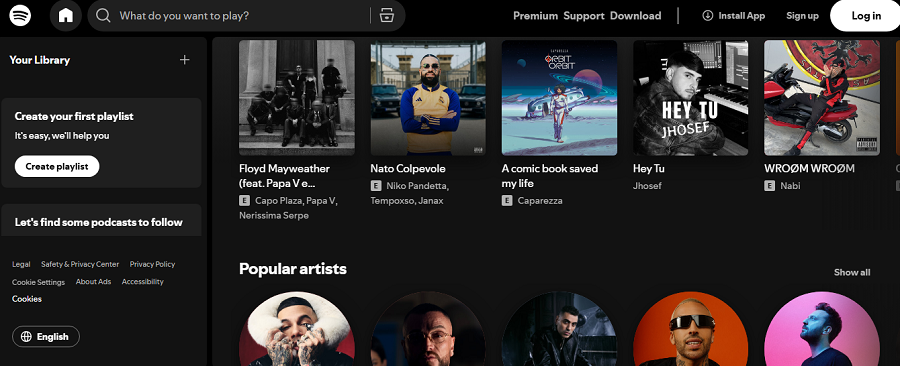
The reigning king of music streaming remains a go-to for many, and for good reason. Spotify’s personalization engine is unmatched — its playlists often feel eerily tailored to your taste.
Features of Spotify
- Massive music and podcast library
- Real-time lyrics and social sharing
- Collaborative playlists and smart curation
Pricing of Spotify
| Plan | Price |
| Free | Ad-supported |
| Premium | $10.99/month |
| Family | $16.99/month |
Pros of Spotify
✅ Best-in-class recommendation algorithm
✅ Vast music and podcast selection
✅ Seamless device syncing
Cons of Spotify
❌ Intrusive ads in the free plan
❌ Skip limits and no offline mode without Premium
3. Deezer
Deezer’s biggest strength lies in its global reach. It offers regional playlists and niche genres, making it ideal for users who love exploring beyond the mainstream.
Features of Deezer
- Flow AI-powered personal mixes
- Lossless FLAC audio (HiFi tier)
- Vast global catalog
Pricing of Deezer
| Plan | Price |
| Free | Ad-supported |
| Premium | $10.99/month |
| Family | $17.99/month |
Pros of Deezer
✅ High-quality FLAC streaming for audiophiles
✅ Strong international music coverage
✅ “Flow” mix adapts well to listening moods
Cons of Deezer
❌ Interface feels dated compared to rivals
❌ Discovery features lag behind Spotify’s sophistication
4. SoundCloud

Still the go-to platform for independent artists. SoundCloud gives you access to remixes, demos, and underground hits that never reach mainstream apps.
Features of SoundCloud
- User-uploaded tracks and remixes
- Free streaming for most content
- Artist support tools
Pricing of SoundCloud
| Plan | Price |
| Free | Ad-supported |
| Go+ | $9.99/month |
Pros of SoundCloud
✅ Unmatched source for indie and underground music
✅ Direct artist-to-fan uploads
✅ Free access to most tracks
Cons of SoundCloud
❌ Inconsistent sound quality across uploads
❌ Occasional copyright or content removals
5. Audiomack

Audiomack focuses on emerging genres — especially hip-hop, Afrobeats, and dancehall. It’s one of the best free streaming apps for discovering up-and-coming artists.
Features of Audiomack
- Free unlimited streaming
- Offline downloads
- Curated trending sections
Pricing of Audiomack
| Plan | Price |
| Free | Ad-supported |
| Premium | $4.99/month |
Pros of Audiomack
✅ Totally free with generous offline access
✅ Excellent platform for new and rising artists
✅ Lightweight and fast app performance
Cons of Audiomack
❌ Smaller library compared to global platforms
❌ Occasional regional limitations
6. Amazon Music
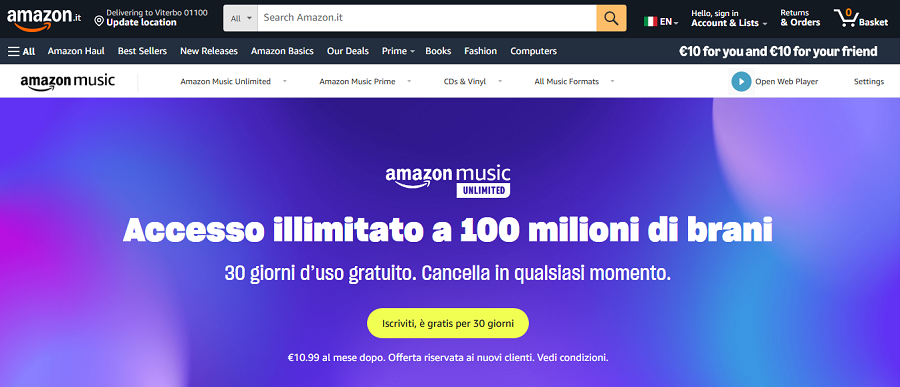
Amazon Music has quietly become a major player, especially with Prime integration. It combines solid sound quality with voice control through Alexa.
Features of Amazon Music
- HD and Ultra HD audio tiers
- Voice integration
- Huge mainstream library
Pricing of Amazon Music
| Plan | Price |
| Free | Limited access |
| Prime | Included with Amazon Prime |
| Unlimited | $10.99/month |
Pros of Amazon Music
✅ Excellent audio fidelity in HD tiers
✅ Convenient for Prime and Alexa users
✅ Massive mainstream catalog
Cons of Amazon Music
❌ Interface feels cluttered and complex
❌ Limited personalization versus Spotify or YouTube Music
7. Tidal
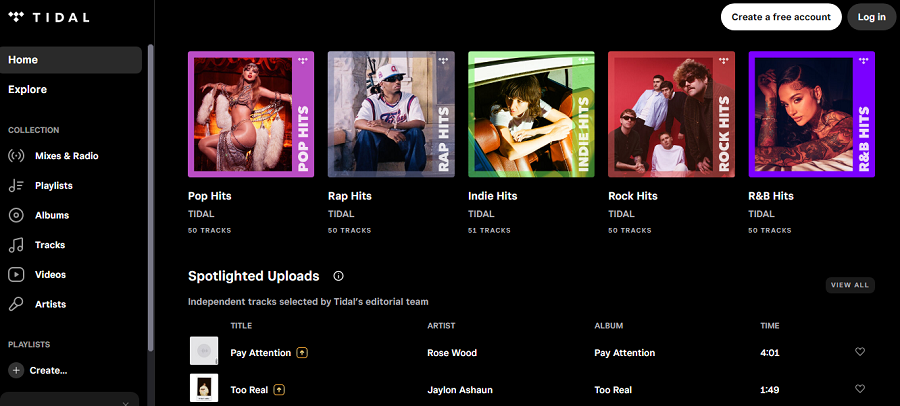
Tidal remains the audiophile’s choice — known for its studio-quality sound and ethical artist payments.
Features of Tidal
- Lossless and Dolby Atmos audio
- Curated editorial playlists
- Artist-first payment model
Pricing of Tidal
| Plan | Price |
| Free | Ad-supported |
| HiFi | $10.99/month |
| HiFi Plus | $19.99/month |
Pros of Tidal
✅ Exceptional sound quality (HiFi and Dolby Atmos)
✅ Ethical payouts to artists
✅ Editorial curation over algorithmic feeds
Cons of Tidal
❌ Expensive for casual users
❌ Requires a strong internet connection for HiFi streaming
8. Wynk Music
Wynk remains a powerhouse in India’s music scene, offering a wide mix of Bollywood, regional, and international tracks.
Features of Wynk Music
- Free streaming and downloads for Airtel users
- Huge Indian catalog
- Offline mode available
Pricing of Wynk Music
| Plan | Price |
| Free | Ad-supported |
| Premium | $1.99/month (varies by region) |
Pros of Wynk Music
✅ Excellent for regional and Bollywood music lovers
✅ Affordable subscription plans
✅ Offline downloads supported
Cons of Wynk Music
❌ Limited appeal outside South Asia
❌ UI not as refined as global competitors
9. Anghami

Anghami is the Middle East’s biggest streaming service, featuring Arabic hits and exclusive local content.
Features of Anghami
- Exclusive Arabic and regional tracks
- Podcasts and social community features
- Offline listening options
Pricing of Anghami
| Plan | Price |
| Free | Ad-supported |
| Plus | $5.99/month |
Pros of Anghami
✅ Best for Arabic and Middle Eastern music
✅ Active local artist community
✅ Social features for sharing music moments
Cons of Anghami
❌ Limited catalog outside its regional focus
❌ Interface can feel ad-heavy for free users
10. JioSaavn
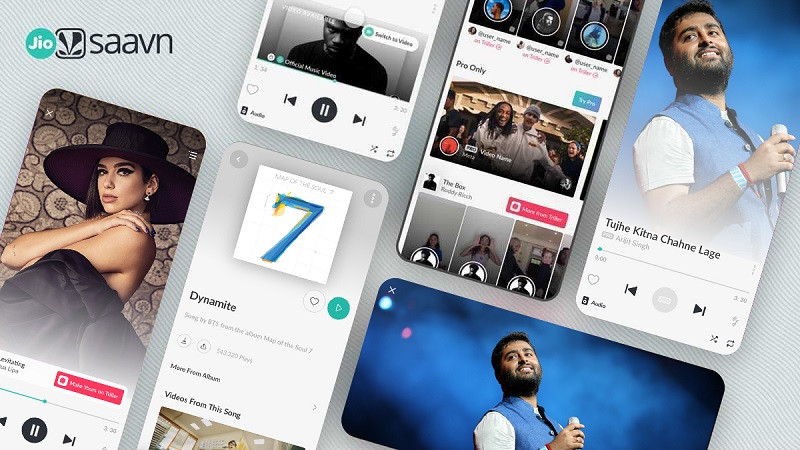
JioSaavn combines streaming with local flair — blending Bollywood, indie, and English tracks seamlessly.
Features of JioSaavn
- Multilingual catalog
- Smart playlists and trending charts
- Offline mode
Pricing of JioSaavn
| Plan | Price |
| Free | Ad-supported |
| Pro | $3.99/month |
Pros of JioSaavn
✅ Huge multilingual song base
✅ Affordable Pro plan with downloads
✅ Clean, modern interface
Cons of JioSaavn
❌ Some international hits are missing
❌ Ads can interrupt playback in free mode
11. Qobuz
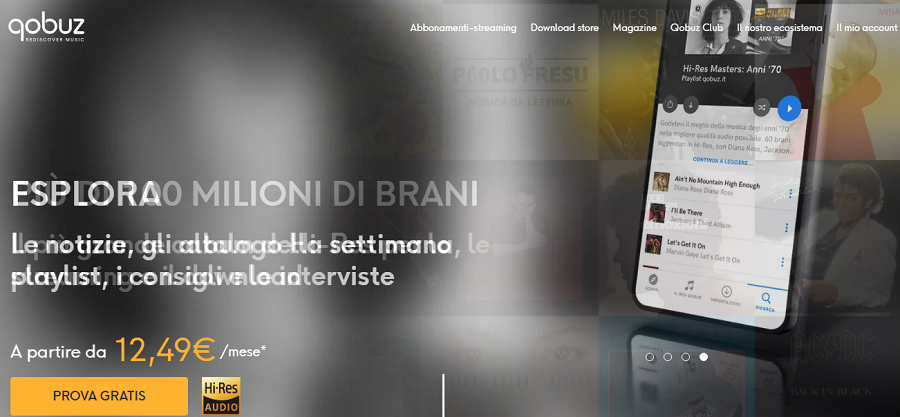
Qobuz caters to the purists — listeners who crave high-resolution audio and digital ownership of albums.
Features of Qobuz
- Hi-res FLAC and 24-bit streaming
- Editorial reviews and music journalism
- Option to purchase and download music
Pricing of Qobuz
| Plan | Price |
| Studio | $12.99/month |
| Sublime | $15.99/month |
Pros of Qobuz
✅ Exceptional audio quality for audiophiles
✅ Deep liner notes and editorial content
✅ Music purchase options for collectors
Cons of Qobuz
❌ Higher pricing tiers
❌ Limited catalog for mainstream pop genres
12. Bandcamp

Bandcamp isn’t your typical streaming platform — it’s a direct-to-fan marketplace where artists control their pricing and listeners can truly support creators.
Features of Bandcamp
- Direct artist sales and streaming
- Offline app for purchased tracks
- Exclusive indie releases
Pricing of Bandcamp
| Plan | Price |
| Free | Streaming for purchased music |
Pros of Bandcamp
✅ Ethical model that pays artists fairly
✅ Incredible indie discovery potential
✅ Offline playback for owned tracks
Cons of Bandcamp
❌ No universal free streaming
❌ Smaller catalog than major services
How to Choose the Right Music Streaming App
Finding your ideal music streaming app in 2025 isn’t as simple as picking the one with the biggest logo. With so many platforms offering similar playlists, pricing tiers, and “discover” features, what really matters are the subtler factors that shape your day-to-day experience.
When comparing apps like Freefy, Spotify, YouTube Music, or Tidal, consider the following core elements before committing your time (or wallet).
1. Sound Quality
This is the soul of any streaming service.
- Casual listeners might not notice the difference between 128kbps and 320kbps, but audiophiles absolutely will.
- Services like Tidal and Qobuz prioritize high-resolution audio, while Freefy strikes a balance between decent quality and minimal data use.
If you often listen through high-end headphones or speakers, opt for lossless or FLAC streaming.
If you mostly stream on mobile data, Freefy’s optimized compression can actually make for a smoother experience.
2. Library Size and Diversity
Catalog variety defines how much musical ground you can explore.
- Spotify and YouTube Music dominate with global catalogs spanning millions of tracks.
- Freefy focuses on accessibility, including lesser-known artists and indie creators who aren’t always represented on mainstream apps.
If you enjoy discovering underground or independent talent, Freefy or SoundCloud might suit you better than corporate platforms.
3. Personalization and Algorithms
Music curation can either be your best friend or an unwanted babysitter.
- Spotify’s Discover Weekly and YouTube’s AI recommendations are powerful, learning your taste over time.
- Freefy, on the other hand, gives you control — playlists are manually curated by users rather than machines, offering a more organic and “human” listening experience.
4. Offline Access
If you commute, travel, or simply have unstable internet, offline playback is essential.
- Freefy offers limited caching — enough for short sessions.
- Audiomack, Spotify Premium, and YouTube Music Premium allow full downloads.
5. User Interface and Experience
A music app should feel effortless, not like managing a spreadsheet.
- Freefy’s lightweight interface loads fast and avoids visual clutter.
- Spotify and Amazon Music offer polished designs but can feel crowded with promotions or podcasts.
6. Price and Monetization
If you’re price-conscious, look at how each platform structures its free tier.
- Freefy and Audiomack remain genuinely free.
- YouTube Music and Spotify push hard for upgrades, limiting skips and background play.
7. Artist Support and Ethics
An increasingly important factor for conscious listeners.
- Tidal and Bandcamp lead in artist-first payment models.
- Freefy’s open-access model isn’t exploitative, but it’s also less financially rewarding for creators.
| Platform | Free Plan | Offline Mode | Sound Quality | Ads | Premium Price (USD) |
|---|---|---|---|---|---|
| Freefy | ✔️ Yes | Limited caching | Up to 320kbps | Light | Free only |
| Spotify | ✔️ Yes | ❌ (Premium only) | Up to 320kbps | Moderate-heavy | $10.99/mo |
| YouTube Music | ✔️ Yes | ❌ (Premium only) | Up to 256kbps | Moderate | $10.99/mo |
| Deezer | ✔️ Yes | ❌ (Premium only) | HiFi FLAC (with upgrade) | Moderate | $10.99/mo |
| SoundCloud | ✔️ Yes | ✔️ (Go+) | Variable (user uploads) | Light | $9.99/mo |
| Audiomack | ✔️ Yes | ✔️ Free | Up to 320kbps | Light | $4.99/mo |
| Tidal | ✔️ Yes | ✔️ | HiFi / Dolby Atmos | Minimal | $10.99–$19.99/mo |
| Amazon Music | ✔️ Limited | ✔️ (Prime/Unlimited) | HD / Ultra HD | Moderate | $10.99/mo |
| Bandcamp | ❌ | ❌ | Lossless downloads | None | Pay per album |
| Qobuz | ❌ | ✔️ | Hi-Res (24-bit) | None | $12.99/mo |
Final Takeaway
When it comes down to it, the best music streaming app isn’t about numbers; it’s about how music fits into your life.
If you want free access, simplicity, and community-driven discovery, Freefy is an honest choice that respects your freedom and attention.
If you’re craving smart playlists and deep libraries, Spotify or YouTube Music still dominate.
And if you’re in love with sound fidelity and artist integrity, Tidal and Qobuz lead that pack.
Freefy sits comfortably in a space that’s often ignored, the one between independence and accessibility. It’s not perfect, but it’s refreshingly real in an industry that’s grown overly polished and monetized.
FAQs
Yes, Freefy is completely free, supported by light advertising rather than subscriptions.
It’s expanding globally but is still limited in certain regions. Access may depend on your country’s app store.
Freefy emphasizes simplicity and free access, while Spotify focuses on algorithmic personalization and a larger library.
Yes, you can temporarily cache tracks for offline playback, though not as extensively as premium platforms.
Spotify, YouTube Music, Audiomack, and SoundCloud are excellent free or low-cost alternatives with wider availability.